Troubleshooting Product Recommendation Quiz App Issues for WordPress / WooCommerce
WordPress and WooCommerce stores are heavily customized, so another plugin or a server setting can stop the app from reaching your store. This page lists the errors that come up most often, and what fixes each one.
Allow the app through your firewall
Add the IP address 3.14.55.225 to the allowlist in your store settings, so the app and your store can talk without interruption.
The app cannot reach your store
Error messages
An error occurred in the request and at the time were unable to send the consumer data.
We tried checking the connection with your WooCommerce API, but was unsuccessful.
We tried fetching the product varaitions via the WooCommerce API, but was unsuccessful.
We tried connecting to your WooCommerce API to sync the “products, but got a status 403.
Work through these in order.
- Outdated WooCommerce. The store needs a version later than WooCommerce 3.5.
- Outdated plugin. Download the latest version of the app.
- No HTTPS or SSL certificate. Install and activate a valid certificate, so the API can communicate securely.
- Site not publicly reachable. Remove password protection, and any coming soon plugin that blocks public access.
- Caching plugin. Disable your caching plugins one at a time to find the one at fault.
- Server configuration. If nothing above helps, your server may be stripping the
Authorizationheader. - Security settings. Check your store and hosting security settings for a rule that conflicts with the app.
- Another plugin. Deactivate the other plugins temporarily, then try granting access again.
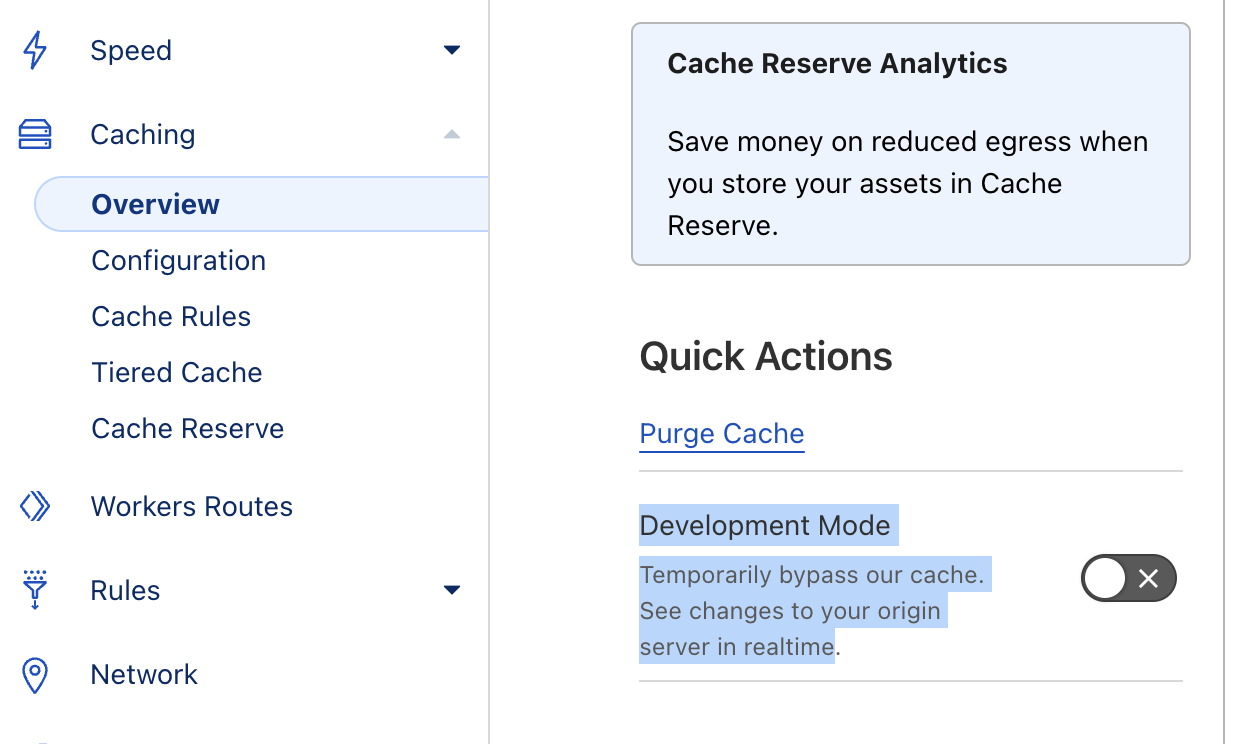
- Cloudflare cache. Exclude the WooCommerce API endpoint
/wp-json/wc/v3/from the cache, or switch on the Cloudflare developer mode to bypass it temporarily. See the Cloudflare cache documentation.
If none of those work, these are the advanced fixes.
- Review the header settings in your caching plugin.
- Generate a new LetsEncrypt certificate.
- Point a subdomain straight at your server, bypassing the Cloudflare CDN proxy.
- Switch to a basic WooCommerce theme, such as Storefront, for the first connection.
- Add
SetEnvIf Authorization "(.*)" HTTP_AUTHORIZATION=$1to your.htaccessfile.
CAFE24 hosting
On CAFE24, disable the SPAM Shield function.
The app cannot authenticate
Error messages
It seems that something is interfering with your WordPress Rest API. This needs to be fixed in order to grant access to this plugin.
Missing parameter app_name
404 Not Found – the requested URL was not found on this server
-
WPML or Polylang conflict. Deactivate WPML or Polylang, authenticate the plugin, then reactivate it.
Polylang cannot be used alongside the app
As of November 2024, Polylang and the Product Recommendation Quiz app cannot run together.
-
Incorrect callback URL. Replace
%2Fwith/in the URL, or remove an extra/wp/from it. -
WooCommerce on a subpage. Drop the page from the URL. Use
https://yourstore.com/wc-auth/v1/authorize/...rather thanhttps://yourstore.com/shop/wc-auth/v1/authorize/..., even when the first one is the real path to your store. -
Site not live. The app needs a live, publicly reachable site. It cannot work behind an under construction plugin, and it cannot work in a local environment.
-
WordPress REST API broken. Visit
https://yourstore.com/wp-json/to test it. A "Not Found" error points at your WordPress installation, not at WooCommerce. A developer will have to investigate.
The API returns HTML instead of JSON
Error messages
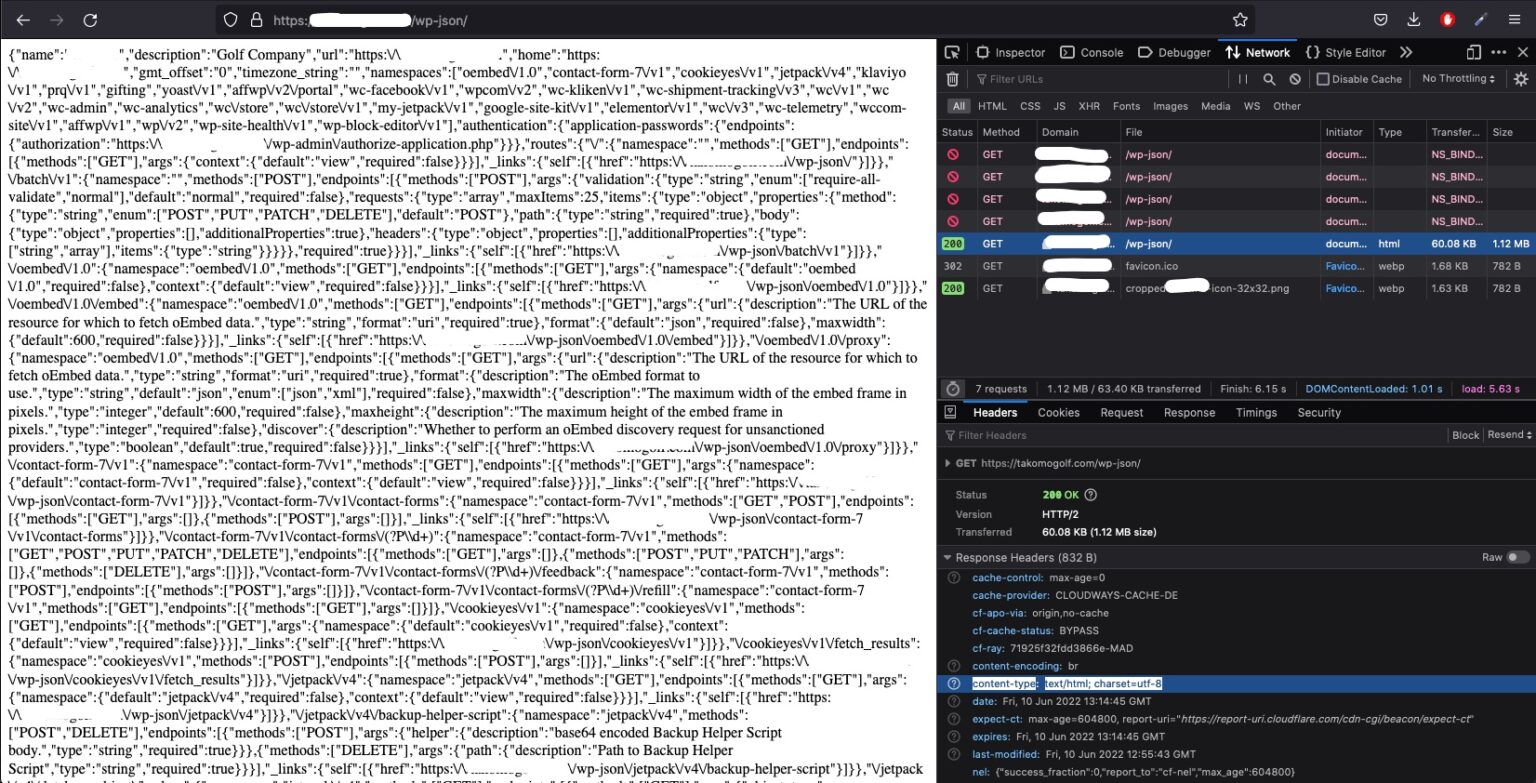
The following REST API endpoint is returning a valid JSON but the returned content-type is text/html instead of the expecred application/json.
- Wrong content type. The site returns JSON, but encoded as
text/htmlrather thanapplication/json. That comes from your store or server settings, and another plugin can cause it too. Ask your developer to correct it.
The plugin triggers a fatal error when activated
Error messages
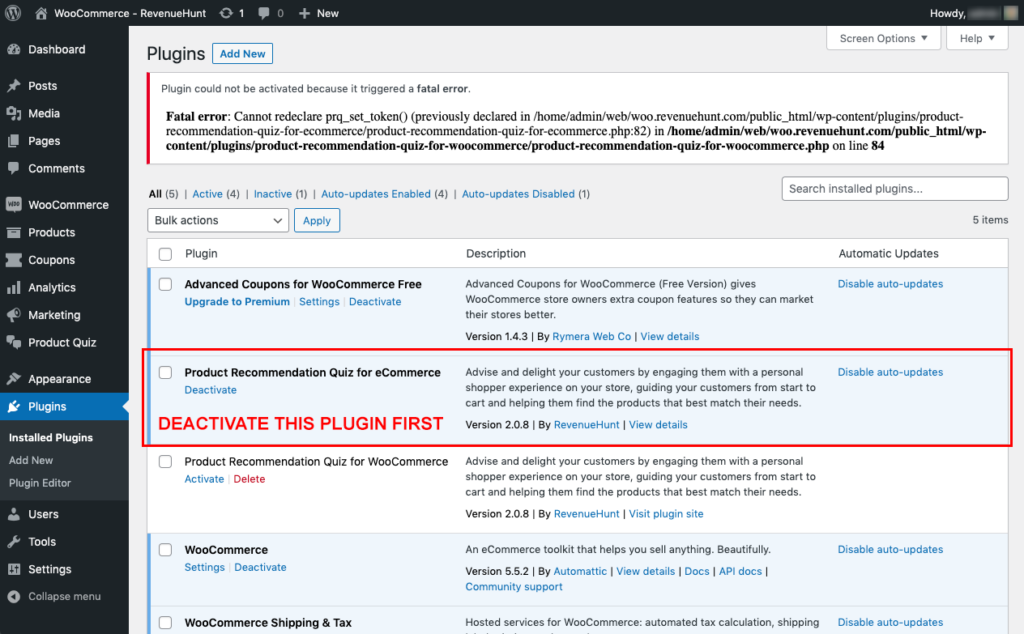
Plugin could not be activated because it triggered a fatal error. Fatal error: Cannot redeclare prq_set_token() (previously declared in…)
-
Both plugins are active. Deactivate the WordPress plugin,
Product Recommendation Quiz for ecommerce, before you activate the WooCommerce extension,Product Recommendation Quiz for WooCommerce.Nothing is lost when you deactivate
Your quizzes and responses live on the RevenueHunt servers, not in the plugin.
The plugin does not have a valid header
Error messages
The plugin does not have a valid header
- Cached plugin list. Your plugin list may be held in whatever WP Object Cache your site uses. See this fix for the invalid header error.
- Wrong folder structure. The plugin's main file has to sit directly in
wp-content/plugins/. - PHP file headers. A PHP file inside the plugin whose header resembles the main plugin file's mandatory header confuses WordPress. See how to fix the invalid header error.
- A
/trunkdirectory. Remove/trunk, or activate the plugin from the plugin list. See this WordPress support thread. - Outdated plugin. Download the latest version of the app.
- Both plugins installed. Deactivate and remove the WooCommerce extension before you install the WordPress plugin, or the other way round.
If none of these solve it
The cause is probably specific to your site. Ask your developer or your hosting provider to read the server logs for clues. The support team can do little in these cases.
This article lists the errors that stop the RevenueHunt app working on WordPress or WooCommerce, and what fixes each one.