How to Set Up Recommendations
Every quiz needs a recommendation system. It decides which products a customer sees at the end. The app has three of them, and eleven ways to use them. This page explains what each one does, so you can choose before you build the quiz.
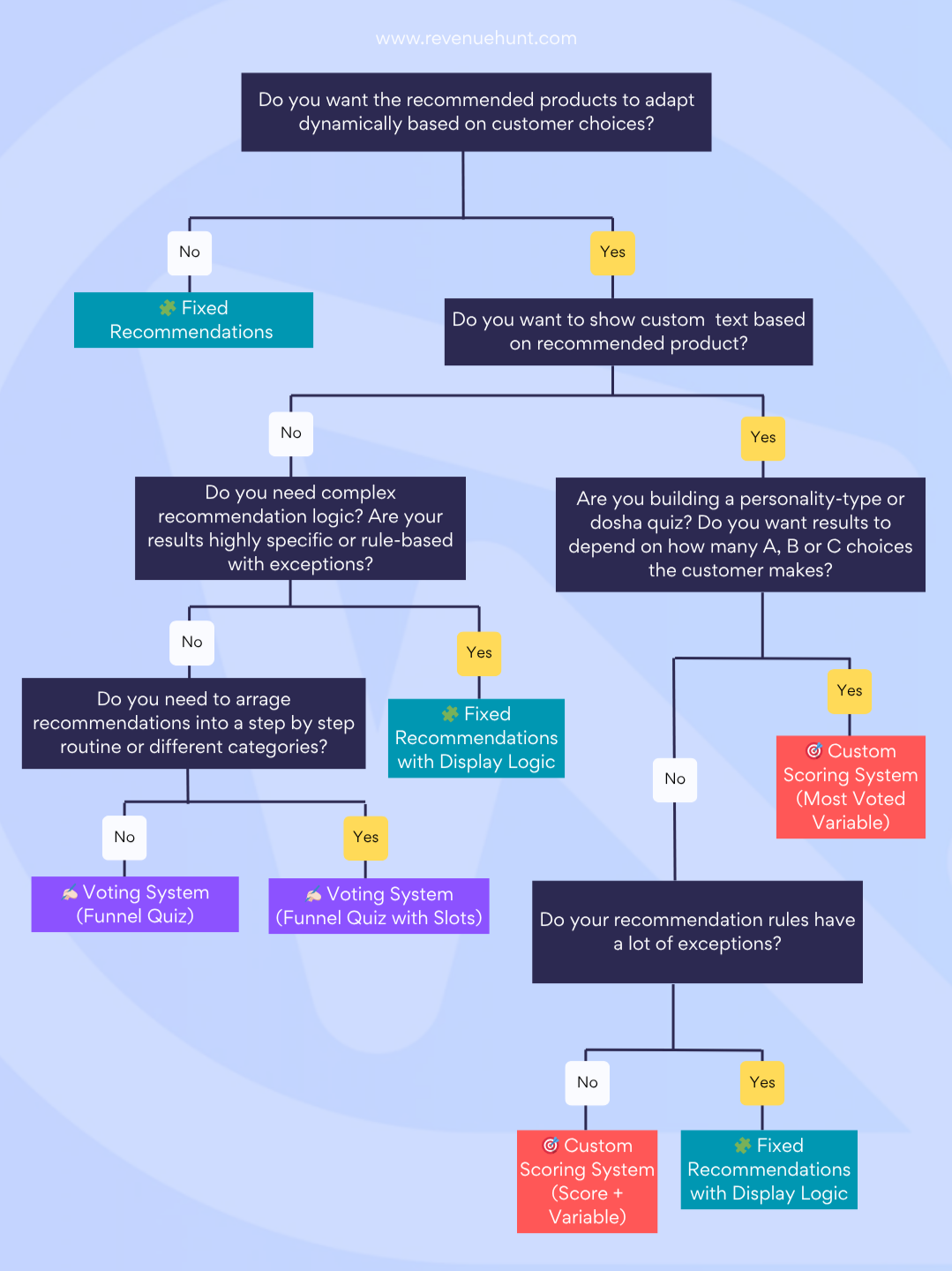
| Recommendation System | Best For | Key Features | Complexity |
|---|---|---|---|
| 🧩 Fixed Recommendations | Showing the same product(s) to everyone regardless of answers | - Simple setup - Products always shown - No logic or conditions |
Very Low |
| ✍🏻 Upvoting System (Funnel Quiz) | Most quizzes, especially product finders or large catalogs | - Automatically adapts to answers - Simple linking of products to choices - Randomized or collection-based tie-breaking |
Low to Medium |
| ✍🏻 Upvoting System (Funnel Quiz with Slots) | Product recommendation routines, different product categories (e.g. cleanser + moisturizer) | - Slot-based grouping - Step-by-step product recommendations - Still uses dynamic upvoting |
Medium |
| 🎯 Custom Scoring System (Most Upvoted Variable) | Personality quizzes, Dosha tests, where outcome depends on which variable (A, B, C...) got the most choices | - Tracks most frequent variable - Outputs results by majority - Often used for typology quizzes |
Medium |
| 🎯 Custom Scoring System (Score + Variable) | Quizzes that need to calculate values or mix scoring with conditions | - Weighted scoring - Adds hidden variables - Logic can combine score + other rules |
Medium to High |
| 🧩 Fixed Recommendations with Display Logic | Quizzes with a lot of logic conditions, precise rules, or exceptions | - Shows products based on answers - Supports multiple results pages - Allows display rules and custom text |
High |
Not sure which one you need?
Upvoting system
Recommended for most quizzes. Each choice upvotes the products linked to it, and the quiz recommends the products with the most upvotes.
Use this method for:
- Helping customers narrow down a large product catalog
- Most quizzes, especially product finders
- Your first product recommendation quiz
- Quizzes without complex branching
Funnel quiz
Every customer answers the same questions, and the products with the most upvotes are recommended first.
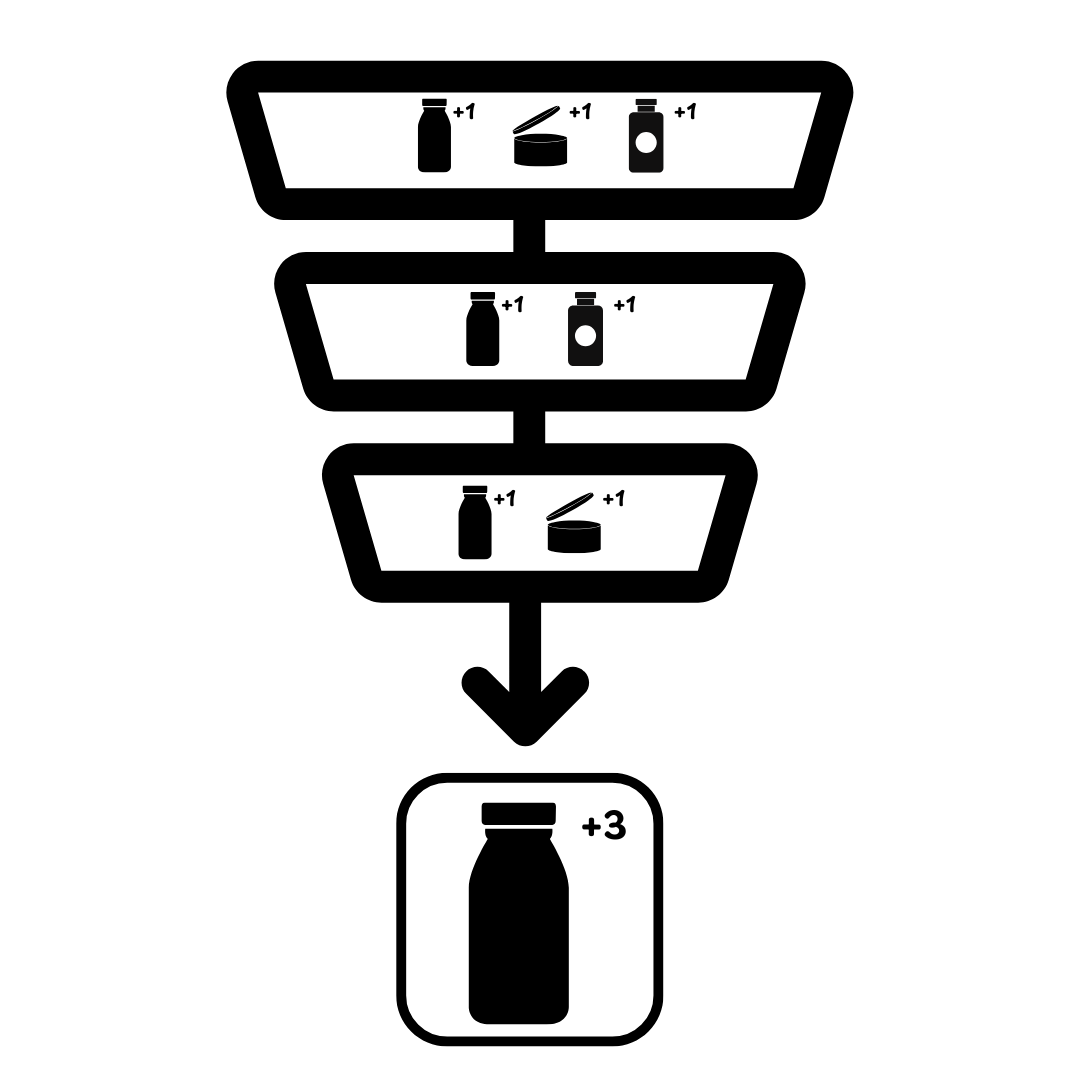
How the algorithm works:
- You link product variants to each choice.
- A customer picks a choice, and every linked product receives one upvote.
- The results page lists the most upvoted variants first.
- You can cap how many products appear, or require a minimum upvote count.
Empty results, and ties
A results page comes back empty when nothing was linked to the choices the customer made, or when exclusions removed every product that was upvoted.
When two products have the same number of upvotes, the order depends on your Catalog mode setting. Ties are randomized by default. Set Preserve collection order in Settings > Catalog to keep the order of your Shopify collections.
✍🏻 Upvoting System (Funnel Quiz)
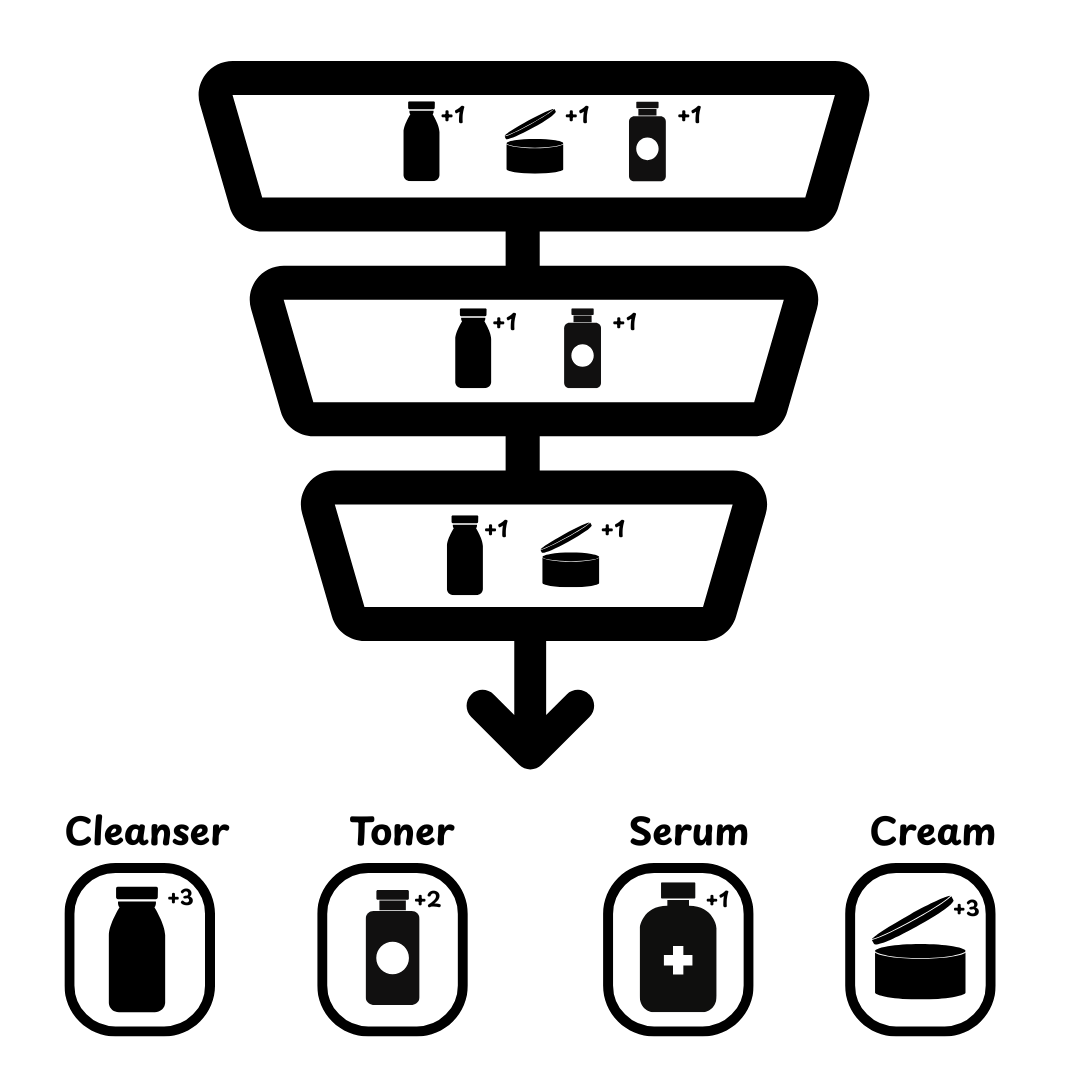
Funnel quiz with slots
The quiz counts the upvotes, then fills every slot with the highest upvoted product that matches that slot. Use it to recommend a full routine: the most upvoted cleanser, then toner, then serum, then moisturizer.
✍🏻 Upvoting System (Funnel Quiz with Slots)
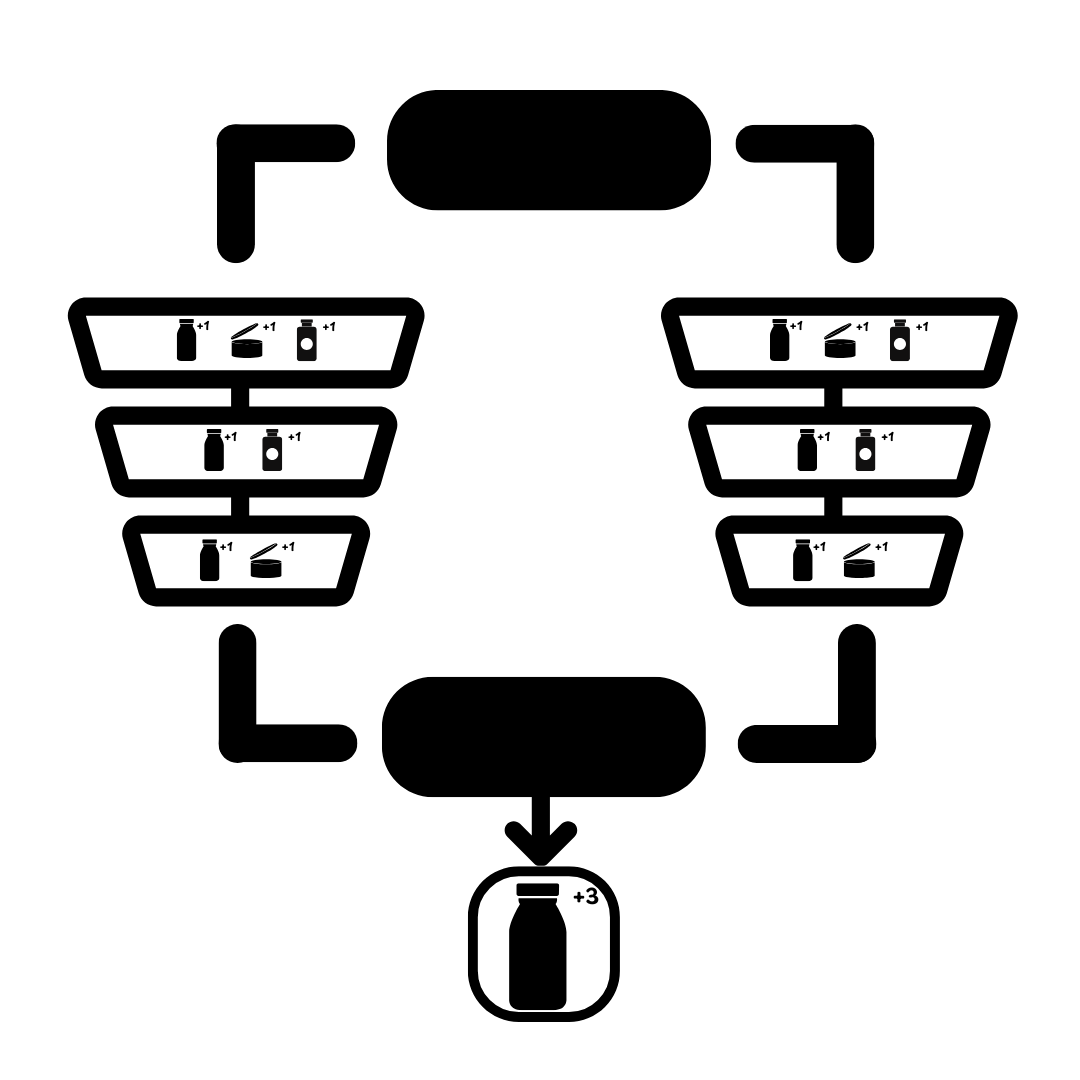
Funnel quiz with branching
Branch the quiz so that different answers lead to different follow-up questions. The quiz counts upvotes only from the questions the customer saw.
✍🏻 Upvoting System (Funnel Quiz with Branching) and Jump Logic
Funnel quiz that skips slides
Ask about several concerns in one multiple-choice question, then show only the follow-up questions that match the concerns the customer selected. The quiz counts upvotes only from the questions it showed.
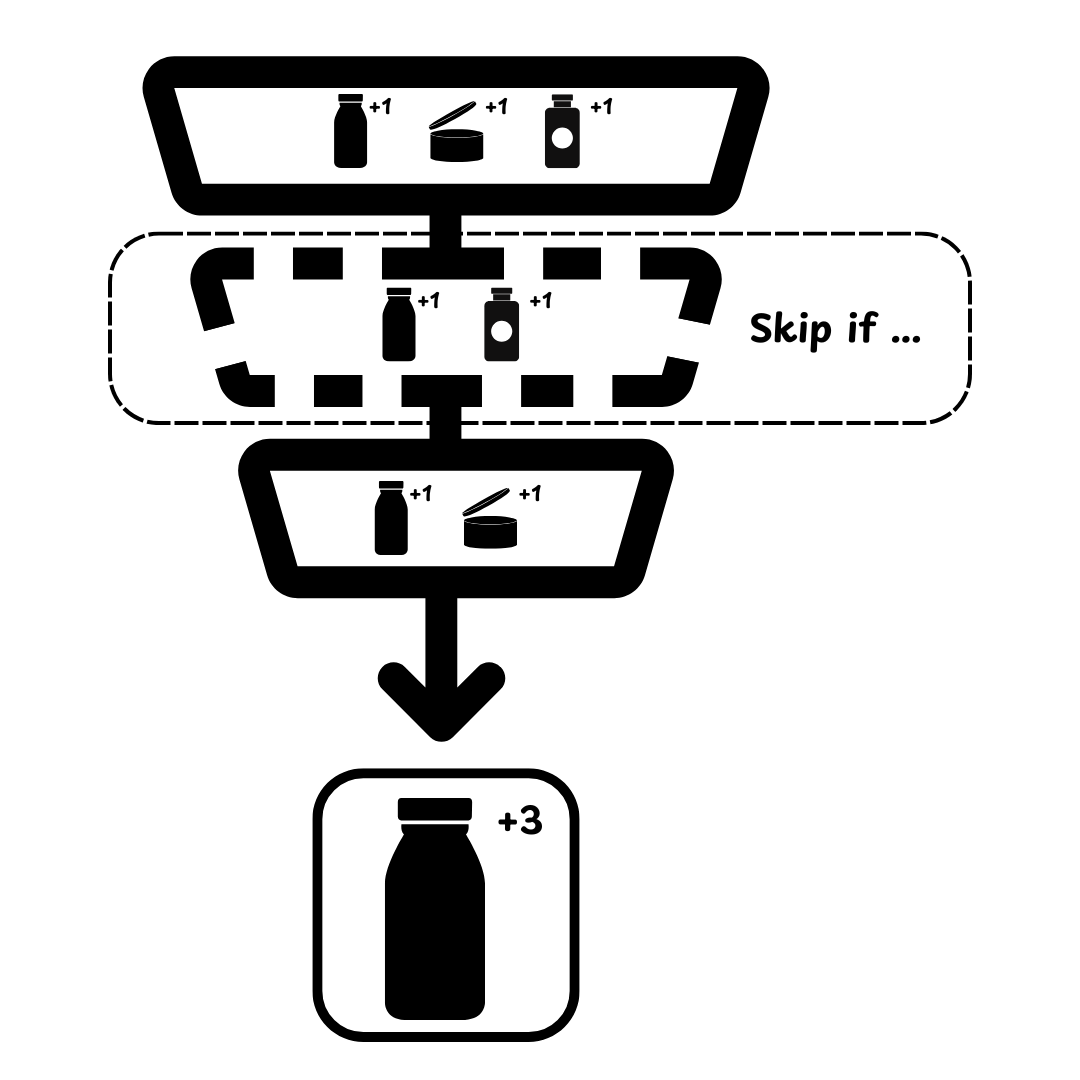

✍🏻 Upvoting System (Funnel Quiz that Skips Slides) and Skip Logic
Funnel quiz that shows custom text based on choices
Show and hide text blocks on the results page, so the wording matches the answers. Every route through the quiz needs its own display logic rule.

Not the best fit for a personality quiz
The number of rules grows with every question. For a personality quiz, try the 🎯 Custom Scoring System (Most Upvoted Variable) or 🧩 Fixed Recommendations with Display Logic instead.
✍🏻 Upvoting System (Funnel Quiz that Shows Custom Text Based on Choices) and Display Logic
Fixed recommendations
Recommended for quizzes with complex branching and several precise outcomes. You pick the products for each outcome yourself, then add logic that decides which section or results page the customer reaches.
Use this method for:
- Quizzes that show the same product(s) to everyone regardless of answers
- Quizzes with multiple very precise outcomes and product recommendations
- Quizzes with complex branching
- Quizzes that require a lot of logic conditions and custom text
Always the same recommendations
Pin the products you choose to the results page. Every customer sees them, whatever they answered.
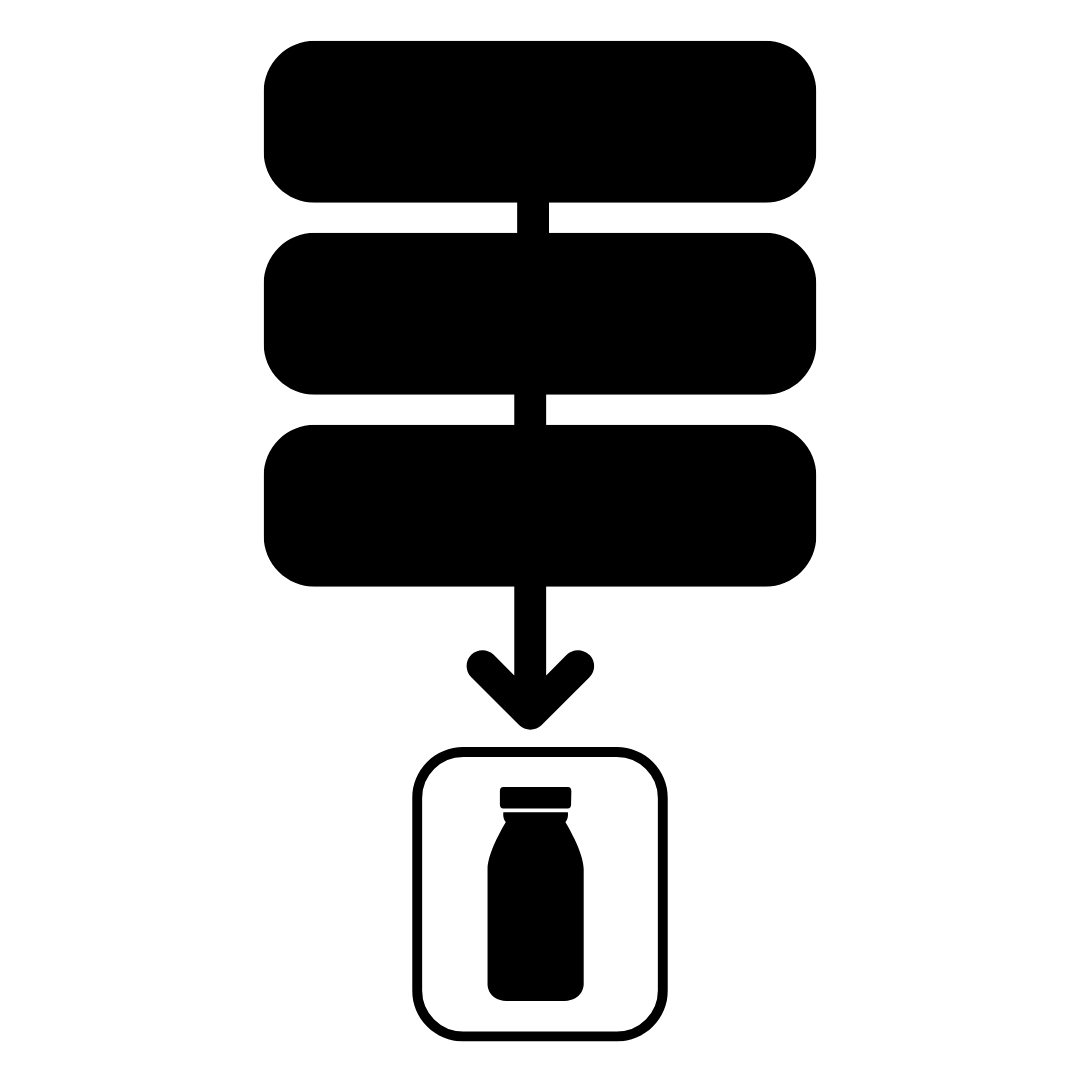
Fixed recommendations with display logic and one results page
One results page holds the text and the products for every outcome. Display Logic then shows the ones that match the answers, and hides the rest.

🧩 Fixed Recommendations with Display Logic
Fixed recommendations with display logic and multiple results pages
Each outcome gets its own results page, with its own products and its own text. Jump Logic sends each customer to the page that matches their answers.
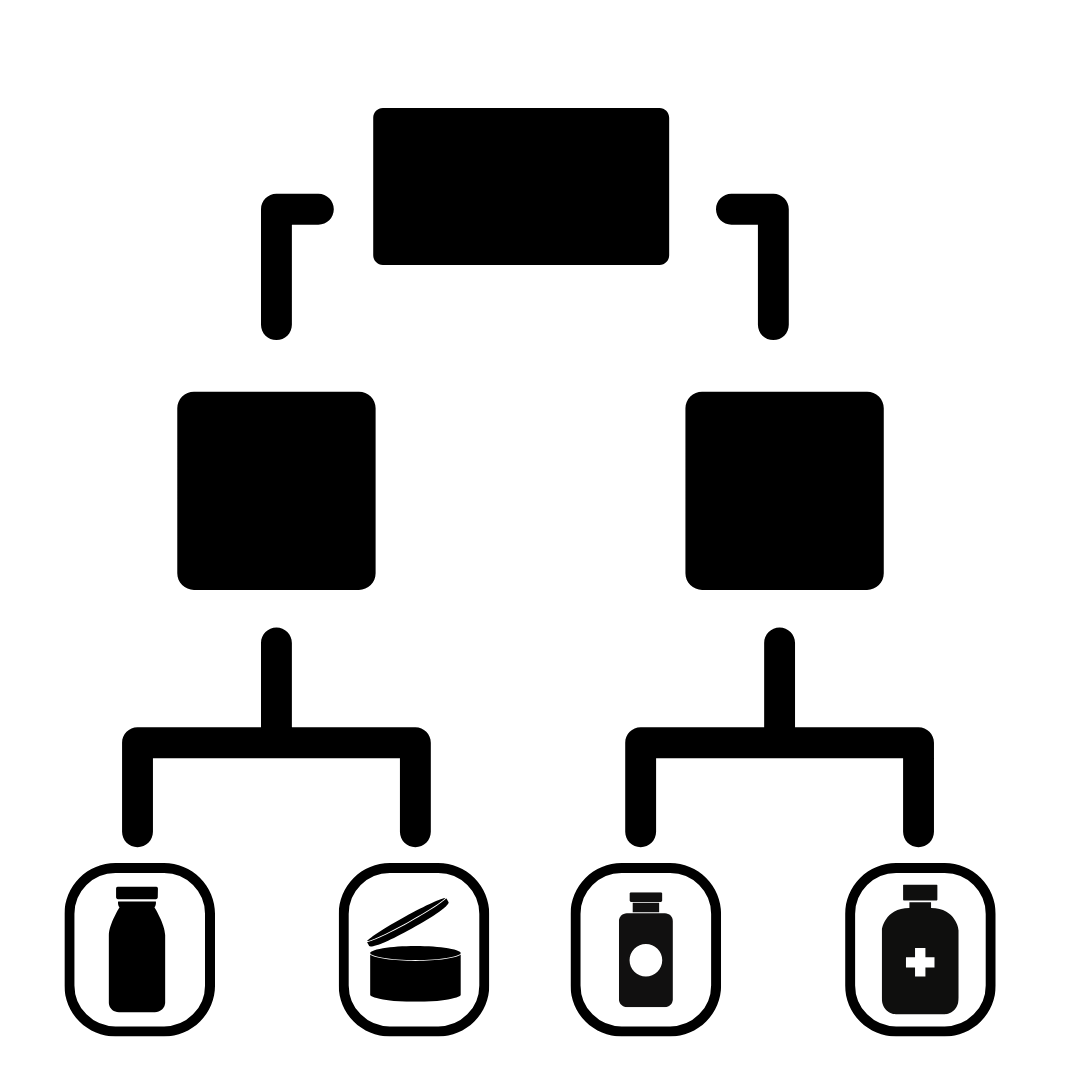
🧩 Fixed Recommendations with Display Logic
Custom scoring system
Recommended for personality-type quizzes. Give each choice a score or a variable, then let the totals decide what the customer sees.
Use this method for:
- Personality type quizzes, Dosha quizzes
- Quizzes that show different results based on the number of choices (for example if the customer chooses most As, Bs, Cs, etc.)
- Quizzes that show different text results based on choices
- Quizzes that need to calculate scores that show different products
Winning variable quiz
Assign a variable to each choice. The variable chosen most often decides the outcome, and Display Logic shows the content and product blocks that match it.
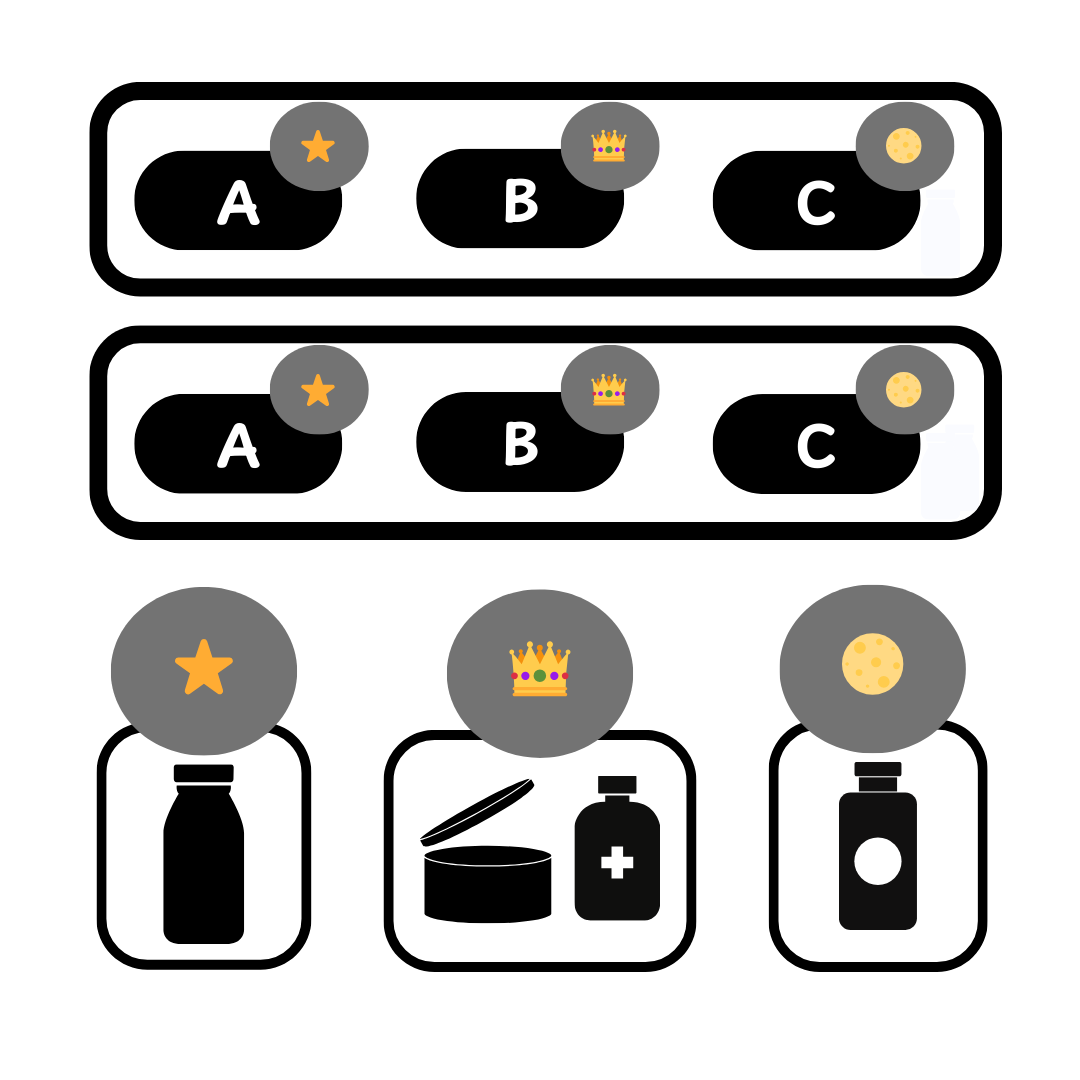
🎯 Custom Scoring System (Most Upvoted Variable)
Scoring quiz with one results page
Assign a numerical score to each choice. Display Logic then shows or hides the content blocks on one results page, based on the total the customer reached.
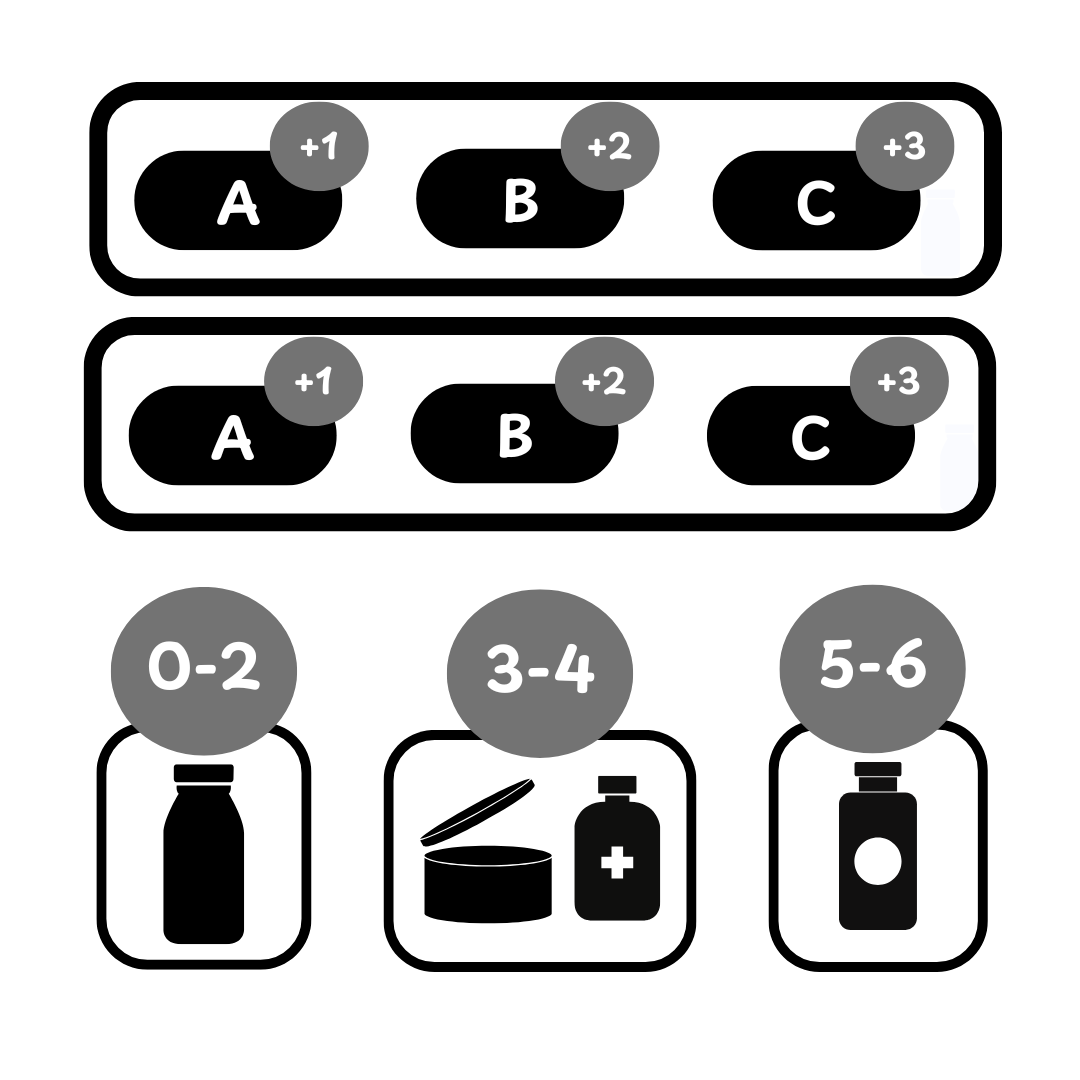
🎯 Custom Scoring System (Score + Variable)
Scoring quiz with multiple results pages
Assign a numerical score to each choice. Jump Logic or Skip Logic then sends each customer to the results page that matches their total.
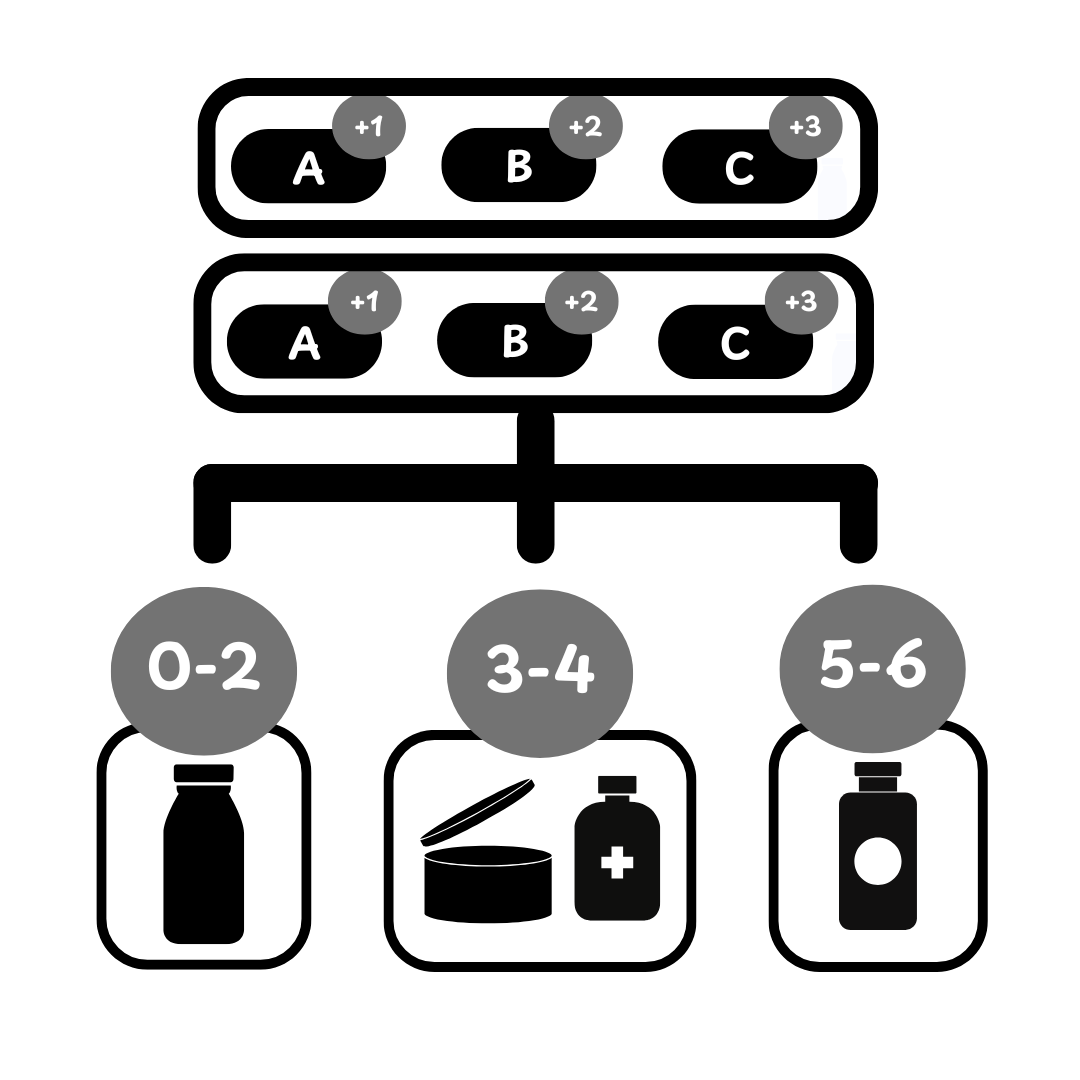
🎯 Custom Scoring System (Score + Variable)
This how-to article explains different ways to set up product recommendations in the RevenueHunt app.