Link Collections / Link Categories
To link collections of products to choices, go to Questions, select a multiple-choice question, then a choice and open the Choice settings.
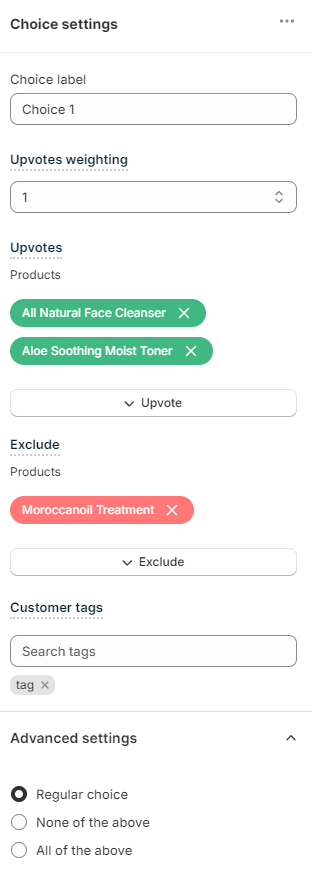
Choose the weight of this choice:
Upvotes weighting - Sets a default weight of this choice. For example, if the weight is set to 2, all the upvoted products from a collection receive x2 (double) upvotes from this choice.
Upvote
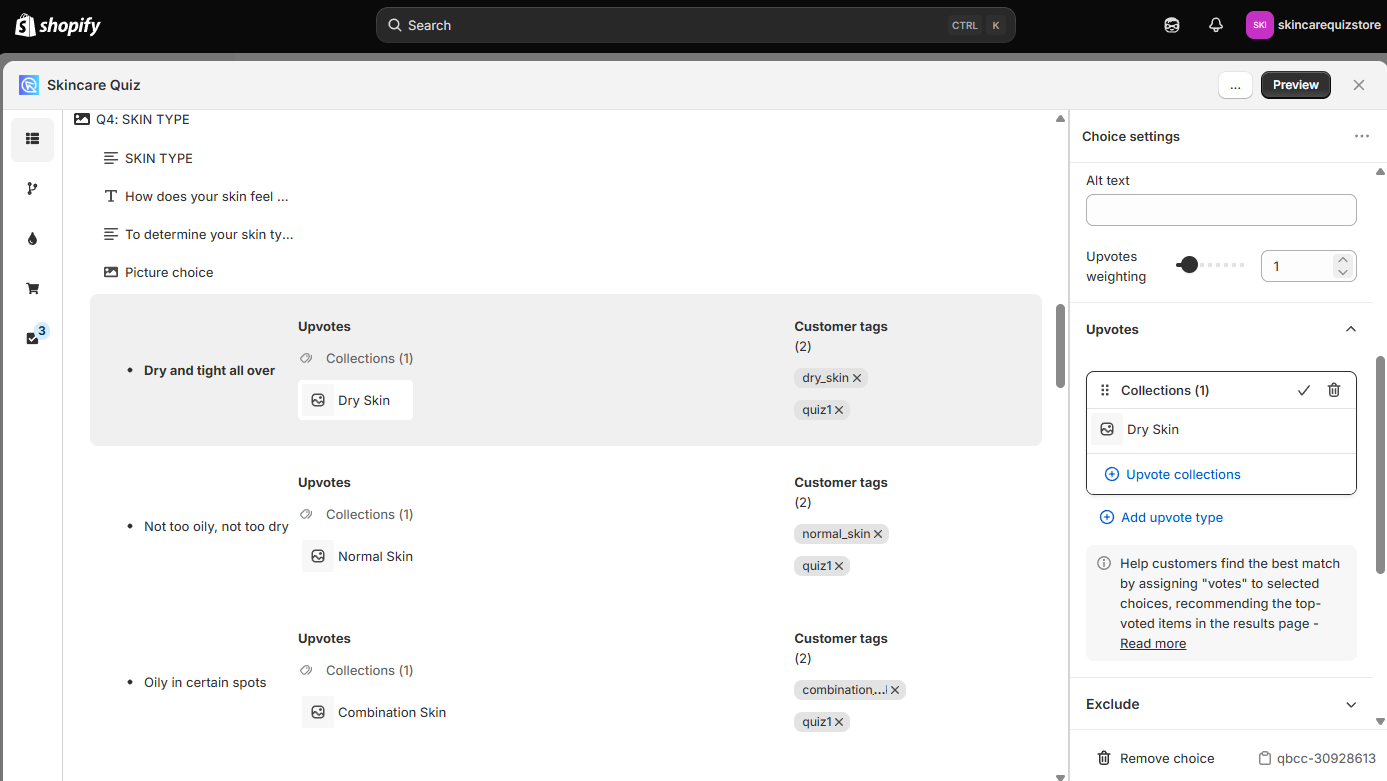
Use the Upvotes section to choose which collections to link to this choice:
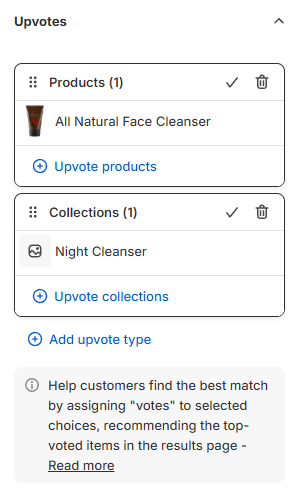
Upvotes - Lists everything linked to this choice: products, product variants, collections, tags, variants and vendors.
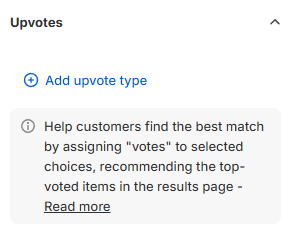
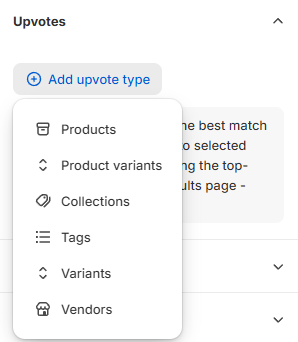
+ Add upvote type - Click to choose what to upvote. The menu offers Products, Product variants, Collections, Tags, Variants and Vendors. A new section then opens, where you pick the items from your Shopify catalog. For individual products and variants, see Link Products.
Variants upvotes an option value, for example Color: Pink. Every variant in your catalog with that value gets the upvote, in all products. To upvote one exact variant of one product, use Product variants instead.
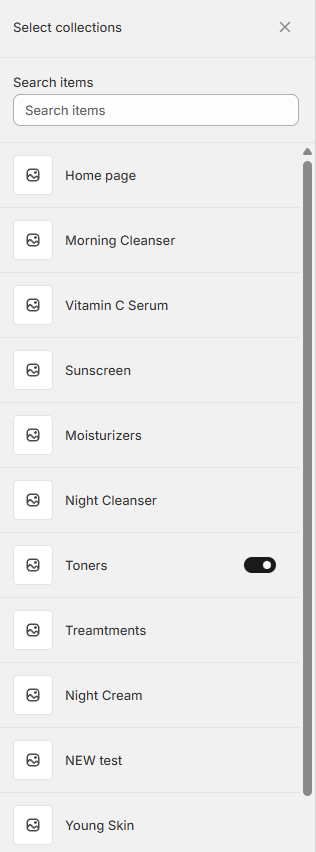
Toggle the collections to be upvoted to add them to the upvoted list.
Upvoted collections will be listed in the upvoted section.
Note
You can upvote entire collections, and also recommend a whole collection to the customer.
Exclude
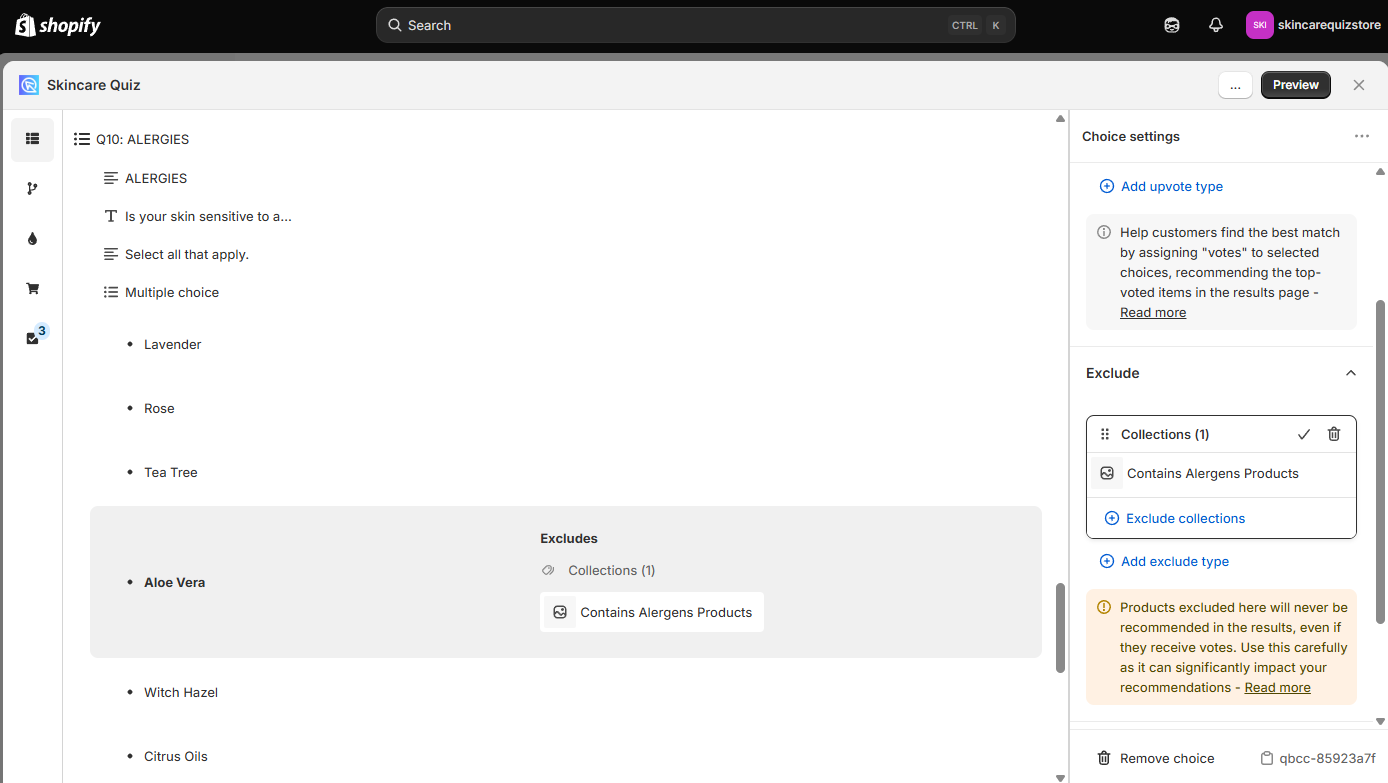
Use the Exclude section to choose which collections to exclude from this choice:
Exclude - Lists everything excluded from this choice: products, product variants, collections, tags, variants and vendors.
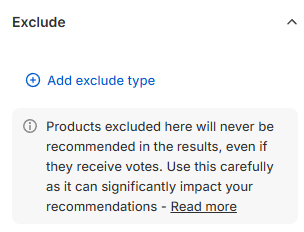
+ Add exclude type - Click to choose what to exclude. The menu offers the same six types as + Add upvote type. A new section then opens, where you pick the items to exclude from your Shopify catalog.
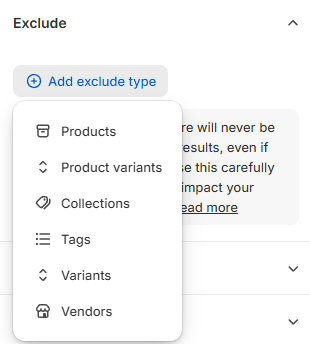
Toggle the collections to be excluded to add them to the excluded list.
Excluded collections will be listed in the excluded section.
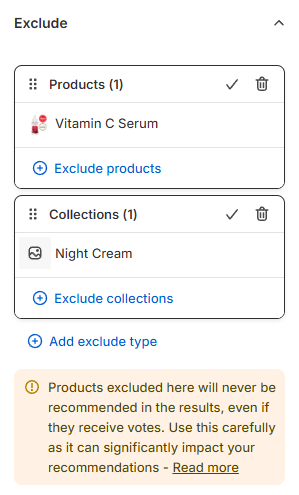
Warning
Be careful with exclusions. Once a product is excluded from a choice, it never shows on the results page. This applies even if another choice upvoted it.
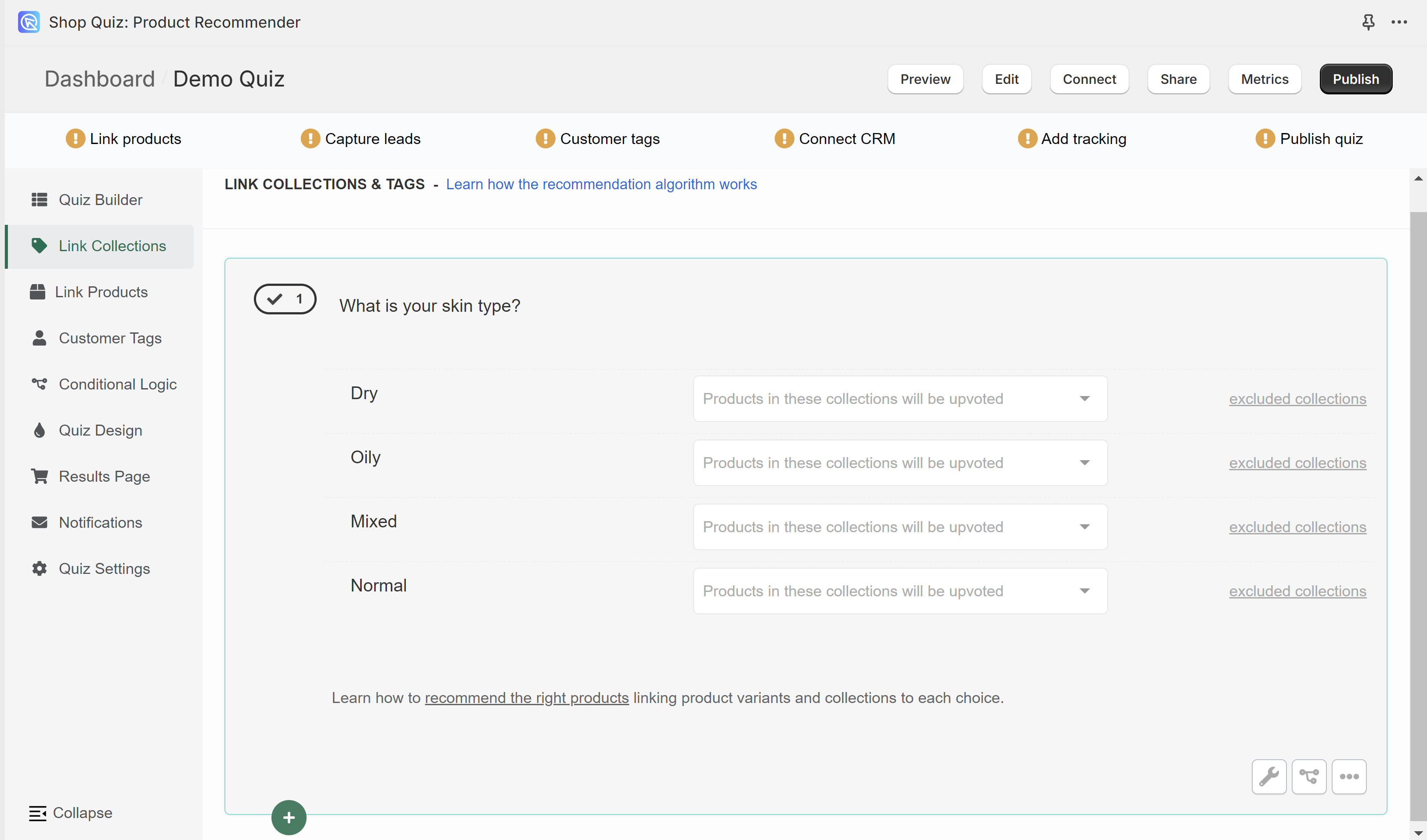
In the Link Collections tab, you can link entire collections of products from your store to choices. This includes Shopify collections, tags, virtual vendors, and variants collections.
Once a collection is linked to a choice and the customer picks that choice, all the products in that collection will receive 1 upvote.
To link a collection to a choice click on the white dropdown bar and start typing the name.
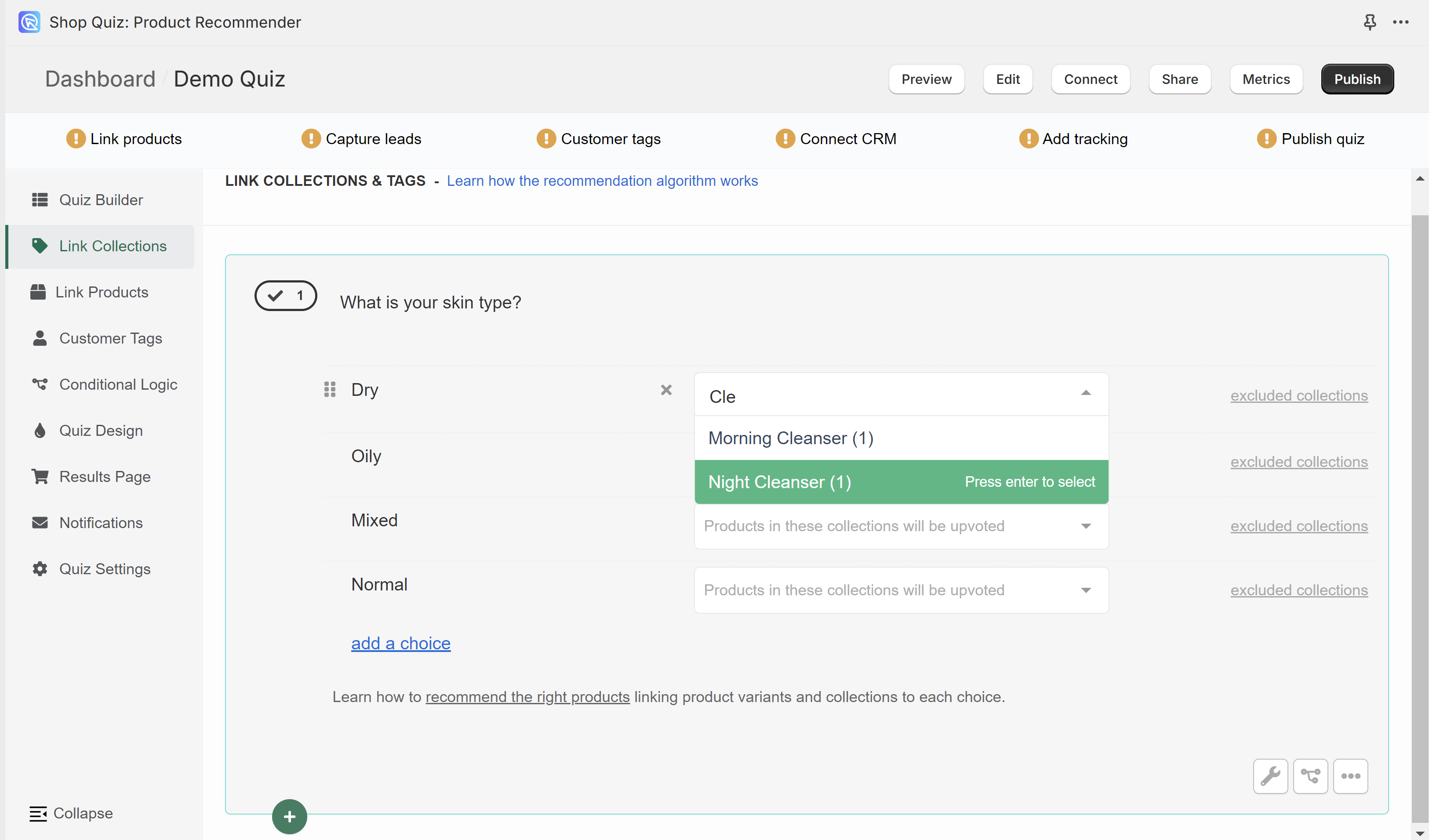
Select a collection and it will be automatically added to the choice.
Moisturizers(1) - The number in brackets is how many product variants are in that collection.
You can link several collections to the same choice, but be careful. A product in two collections linked to the same choice gets 2 upvotes, one from each collection.
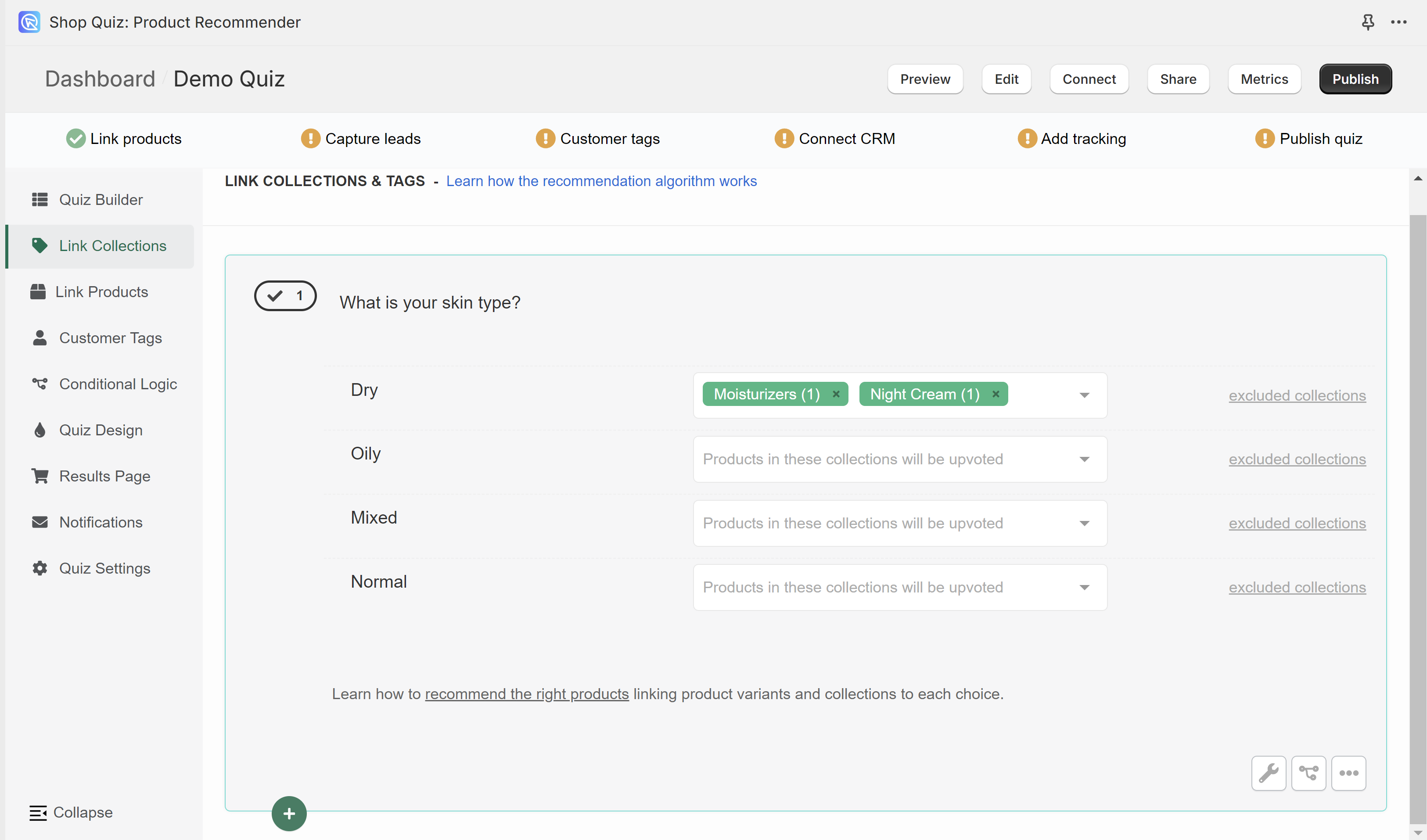
To remove a linked collection click x next to the collection name.
excluded collections - Opens the dropdown which lets you exclude collections of products from a choice.
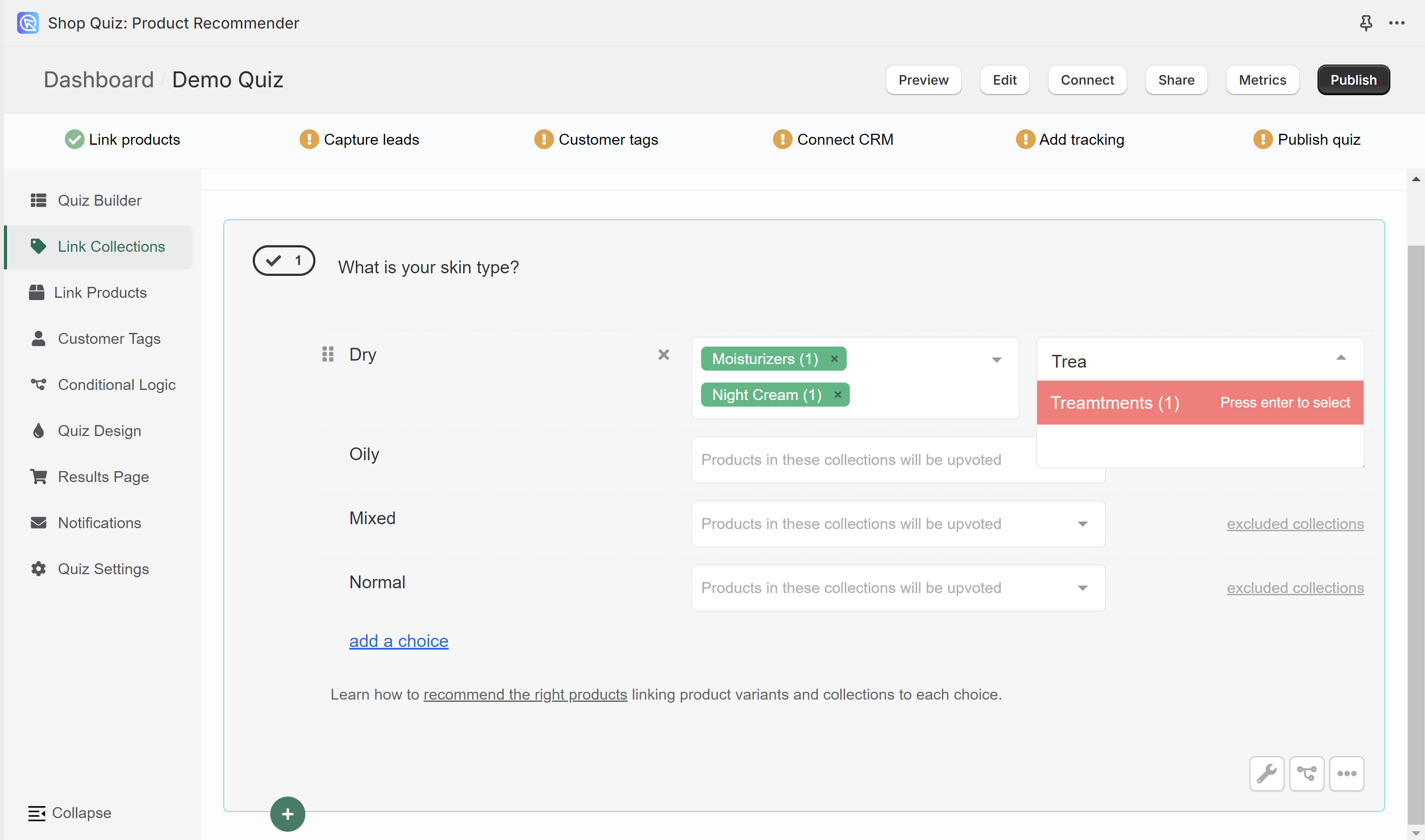
Be careful with exclusions. Once a collection is excluded from a choice, its products never show on the results page. This applies even if another choice upvoted them.
Missing collections, or collections showing (0) products? - You may need to run a Catalog Sync to update the app.
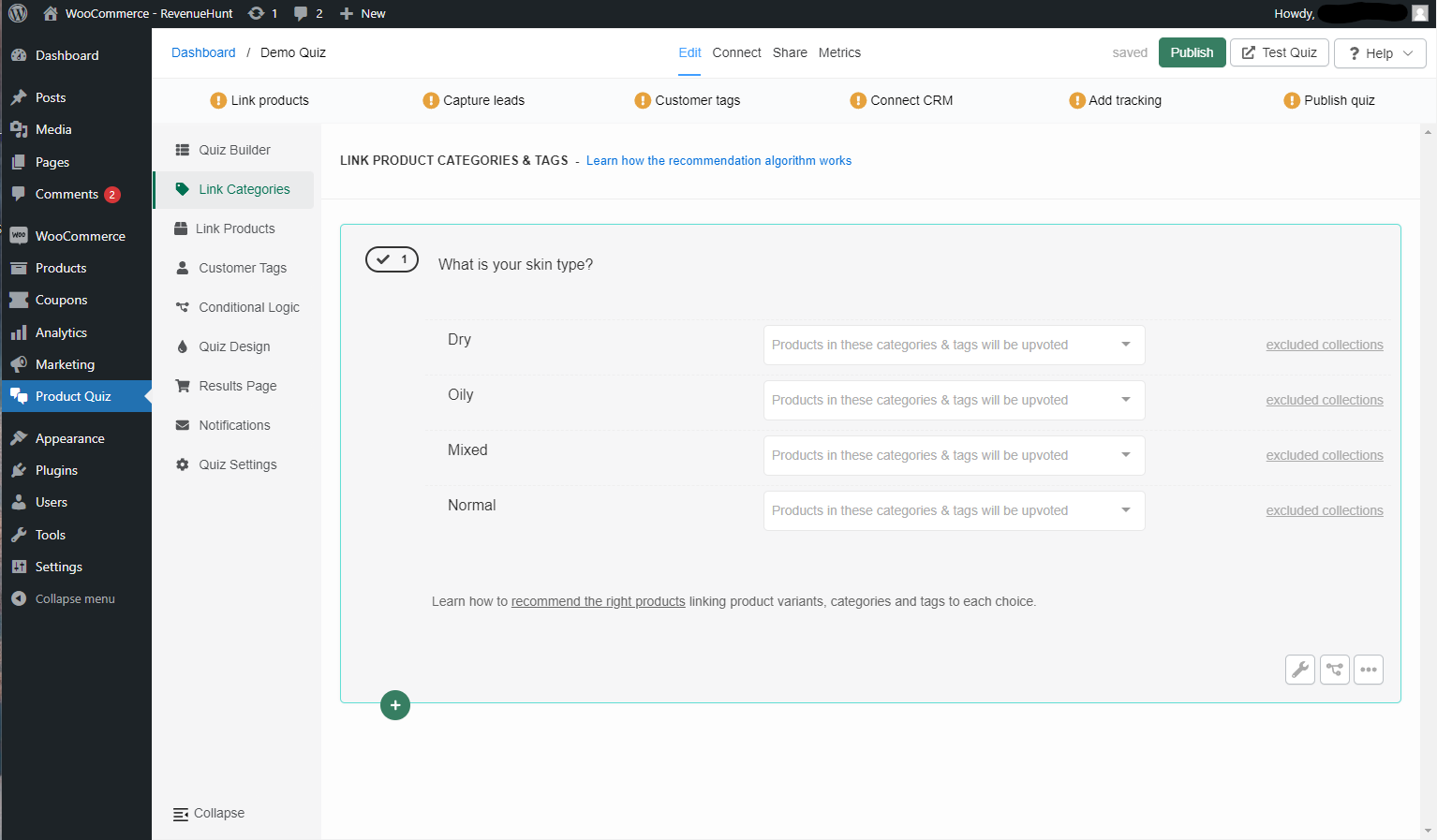
In the Link Categories tab, you can link entire categories of products from your store to choices. This includes WooCommerce categories, tags and attributes.
Once a category is linked to a choice and the customer picks that choice, all the products in that category will receive 1 upvote.
To link a category to a choice click on the white dropdown bar and start typing the name.
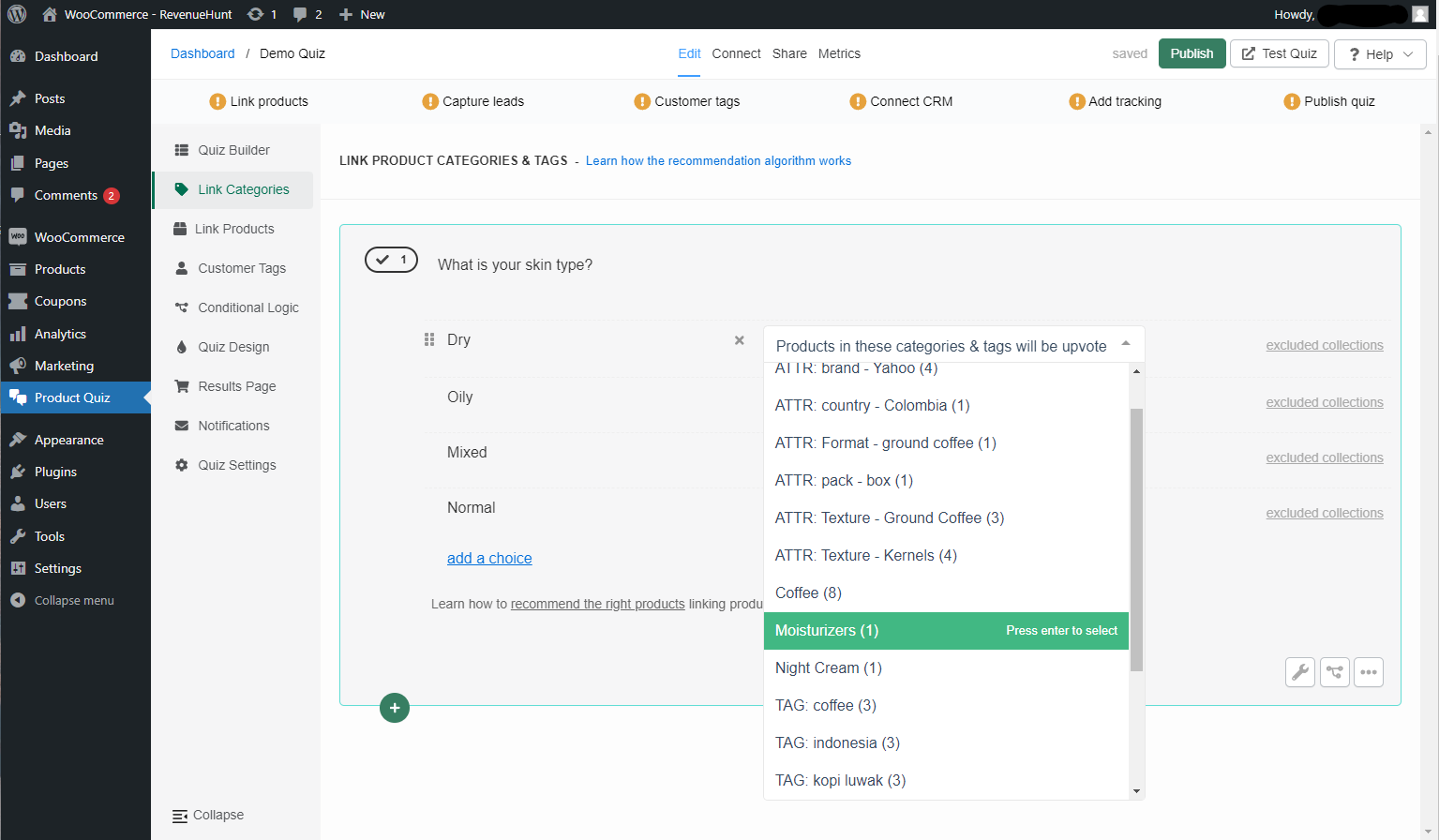
Select a category and it will be automatically added to the choice.
Moisturizers(1) - The number in brackets is how many product variants are in that category.
You can link several categories to the same choice, but be careful. A product in two categories linked to the same choice gets 2 upvotes, one from each category.
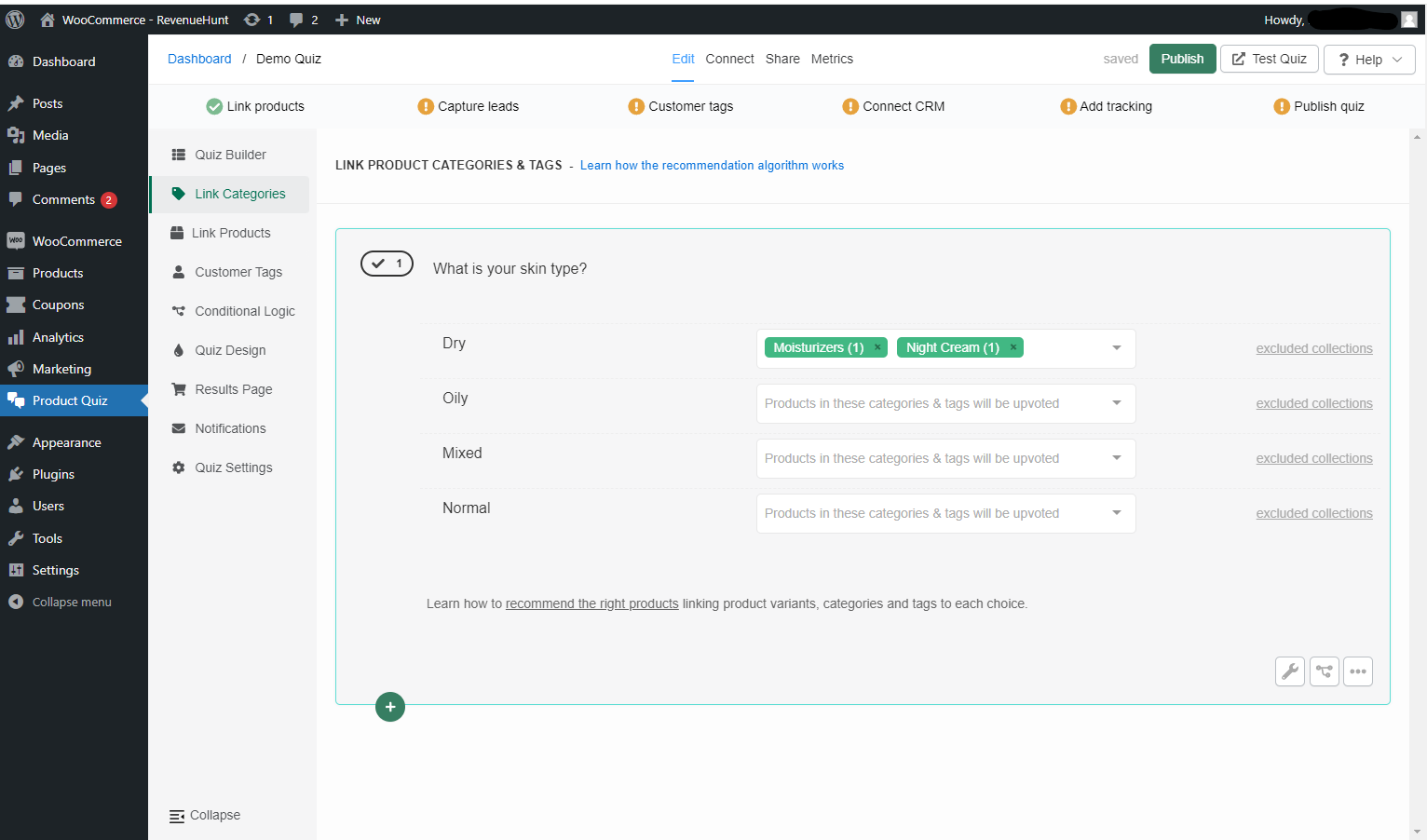
To remove a linked category click x next to the category name.
excluded collections - Opens the dropdown which lets you exclude categories of products from a choice.
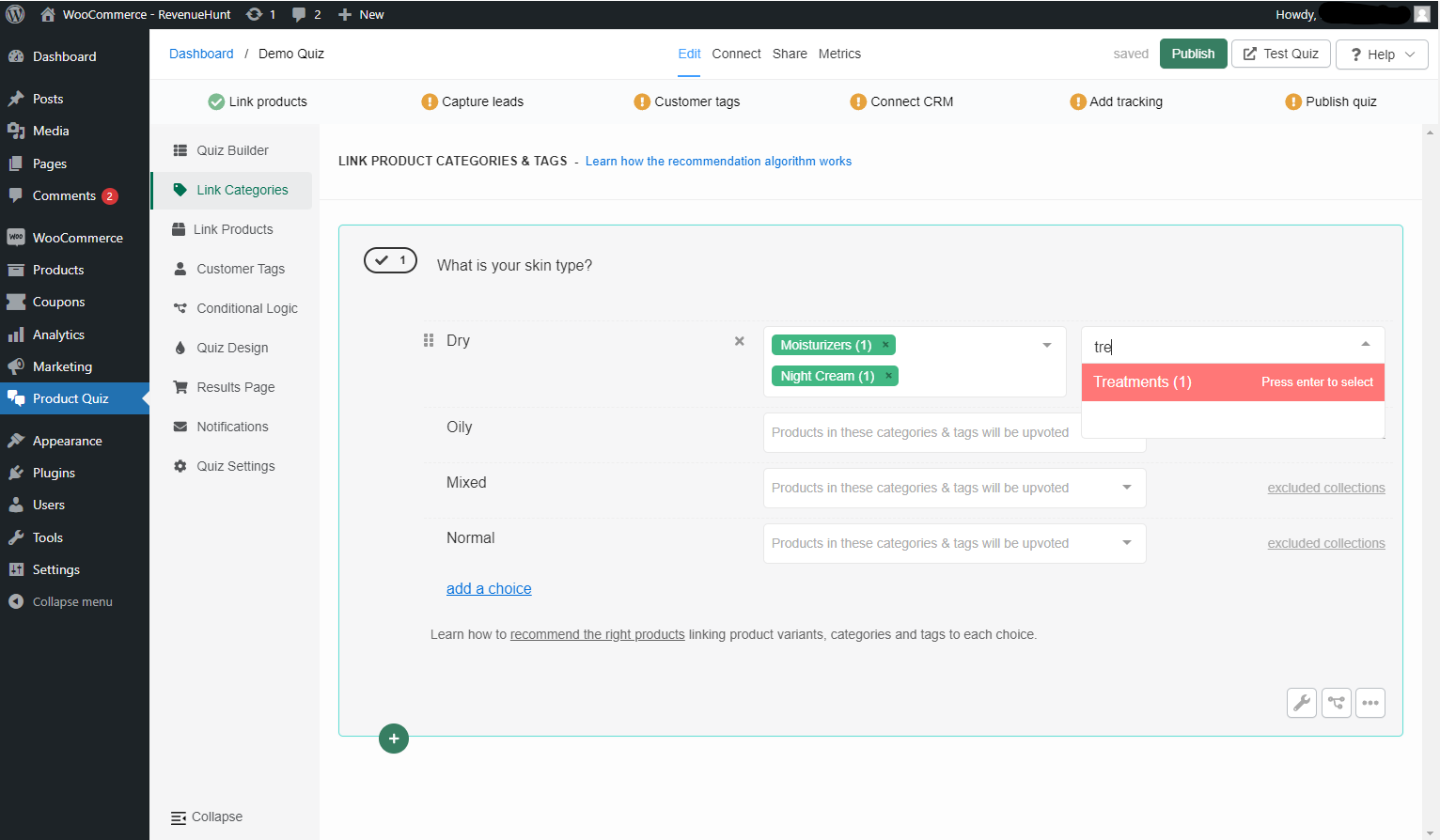
Be careful with exclusions. Once a category is excluded from a choice, its products never show on the results page. This applies even if another choice upvoted them.
Missing categories, or categories showing (0) products? - You may need to run a Catalog Sync to update the app.
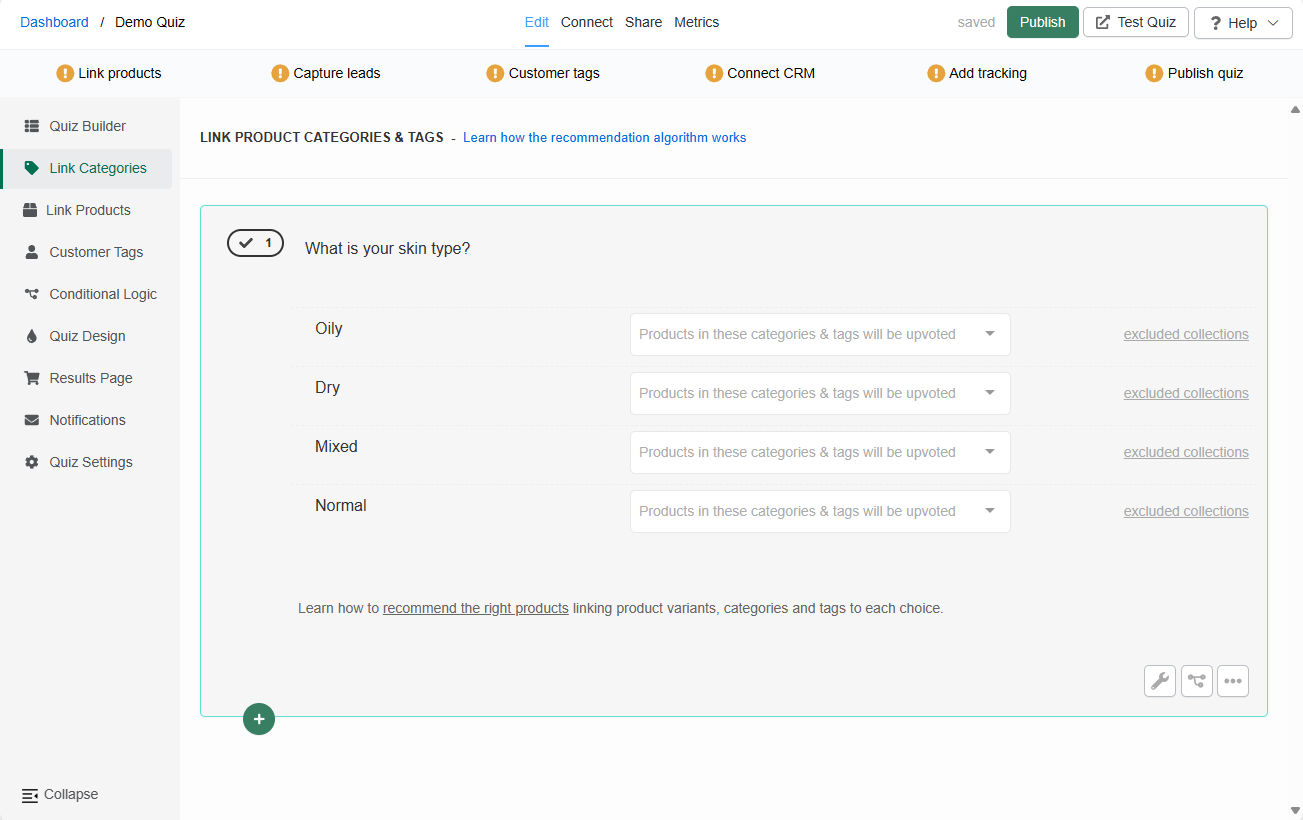
In the Link Categories tab, you can link entire categories of products from your store to choices.
Once a category is linked to a choice and the customer picks that choice, all the products in that category will receive 1 upvote.
To link a category to a choice click on the white dropdown bar and start typing the name.
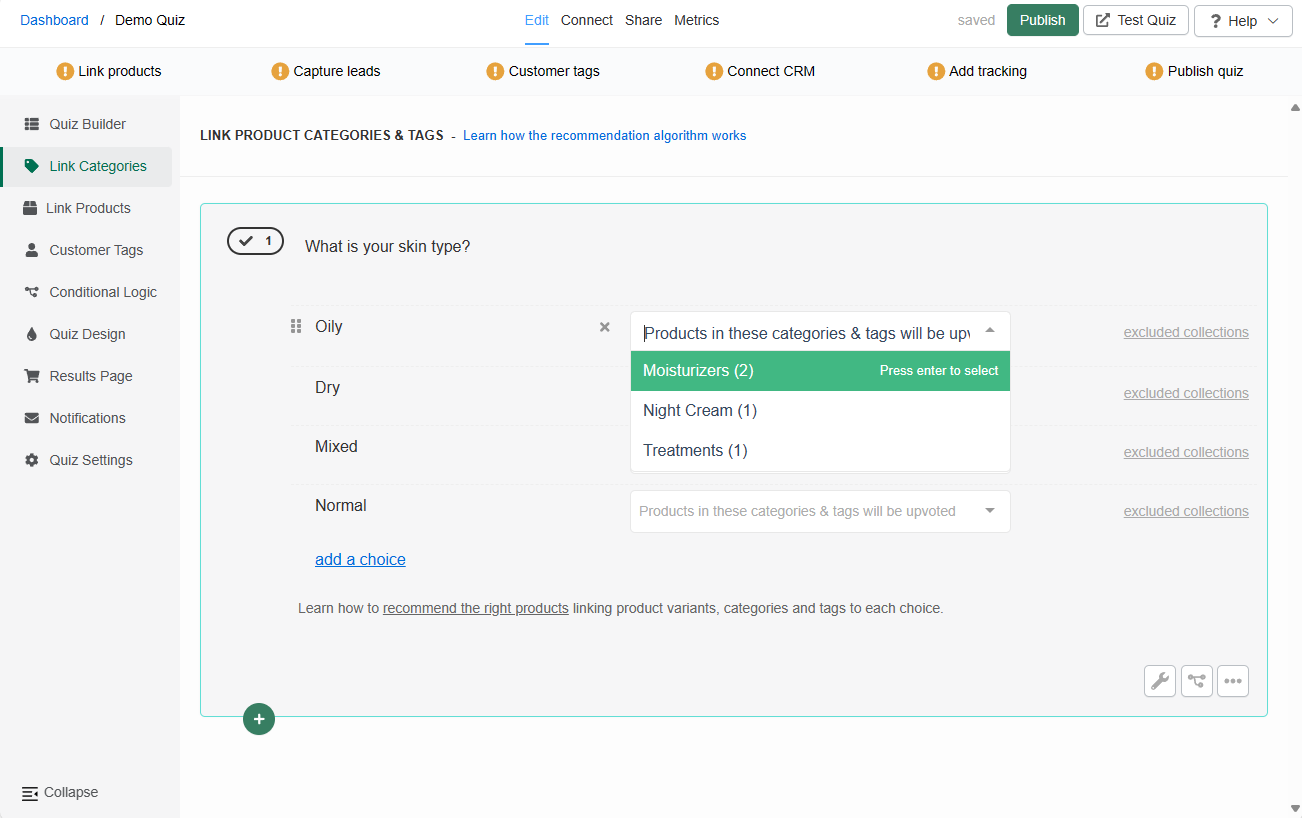
Select a category and it will be automatically added to the choice.
Moisturizers(1) - The number in brackets is how many product variants are in that category.
You can link several categories to the same choice, but be careful. A product in two categories linked to the same choice gets 2 upvotes, one from each category.
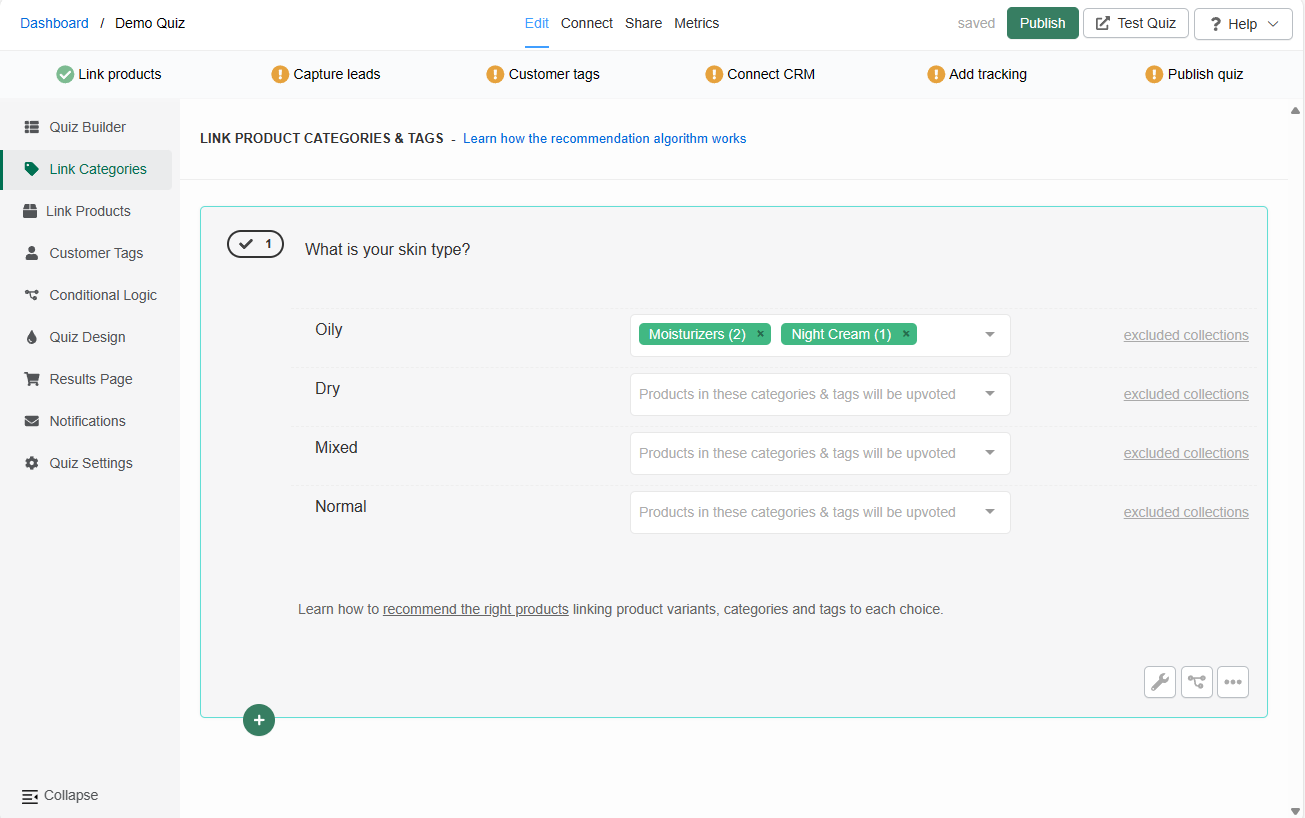
To remove a linked category click x next to the category name.
excluded collections - Opens the dropdown which lets you exclude categories of products from a choice.
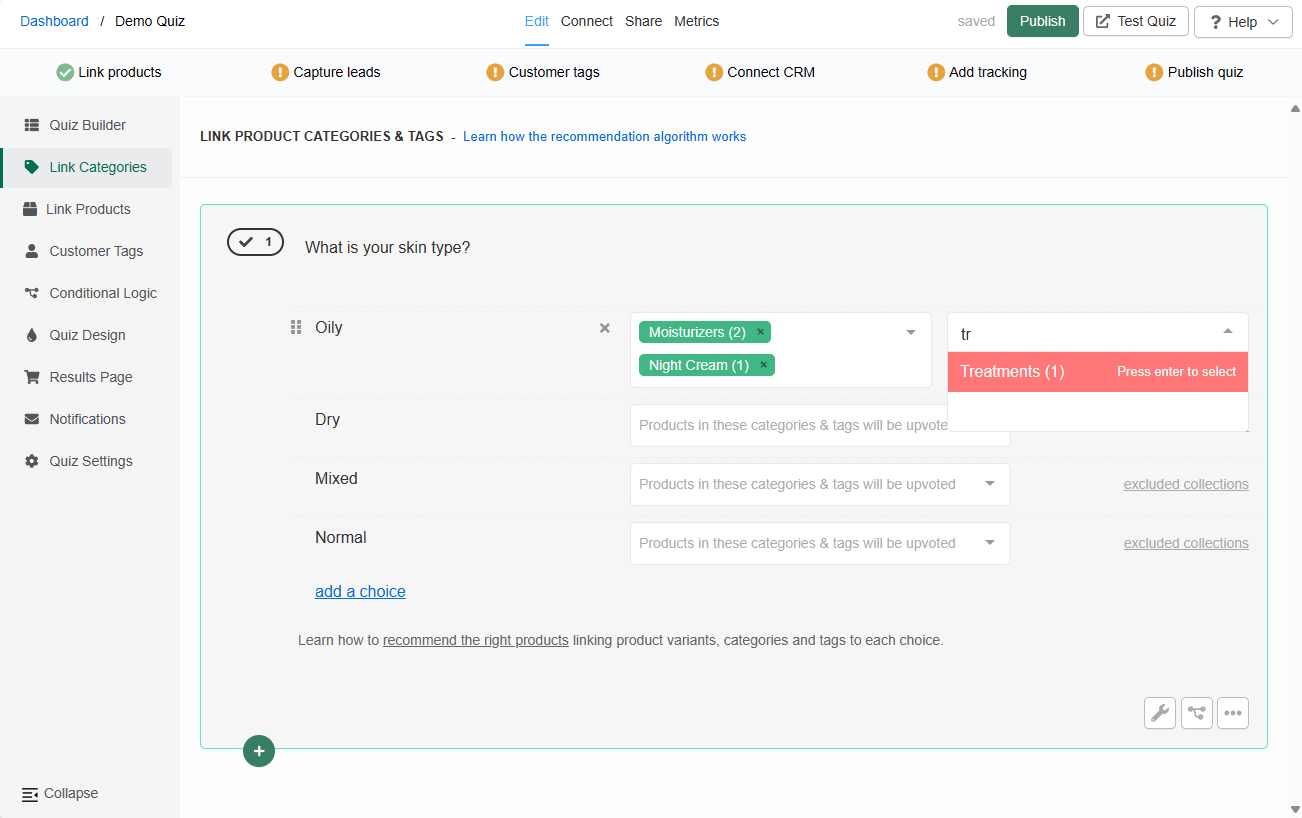
Be careful with exclusions. Once a category is excluded from a choice, its products never show on the results page. This applies even if another choice upvoted them.
Missing categories, or categories showing (0) products? - You may need to run a Catalog Sync to update the app.
In the Link Categories tab, you can link entire categories of products from your store to choices.
Once a category is linked to a choice and the customer picks that choice, all the products in that category will receive 1 upvote.
To link a category to a choice click on the white dropdown bar and start typing the name.
Select a category and it will be automatically added to the choice.
Moisturizers(1) - The number in brackets is how many product variants are in that category.
You can link several categories to the same choice, but be careful. A product in two categories linked to the same choice gets 2 upvotes, one from each category.
To remove a linked category click x next to the category name.
excluded collections - Opens the dropdown which lets you exclude categories of products from a choice.
Be careful with exclusions. Once a category is excluded from a choice, its products never show on the results page. This applies even if another choice upvoted them.
Missing categories, or categories showing (0) products? - You may need to run a Catalog Sync to update the app.
Tip
You can also use custom fields as tags. See BigCommerce: Use Custom Fields as Tags.
In the Link Categories tab, you can link entire categories of products from your store to choices.
Once a category is linked to a choice and the customer picks that choice, all the products in that category will receive 1 upvote.
To link a category to a choice click on the white dropdown bar and start typing the name.
Select a category and it will be automatically added to the choice.
Moisturizers(1) - The number in brackets is how many product variants are in that category.
You can link several categories to the same choice, but be careful. A product in two categories linked to the same choice gets 2 upvotes, one from each category.
To remove a linked category click x next to the category name.
excluded collections - Opens the dropdown which lets you exclude categories of products from a choice.
Be careful with exclusions. Once a category is excluded from a choice, its products never show on the results page. This applies even if another choice upvoted them.
Missing categories, or categories showing (0) products? - You may need to run a Catalog Sync to update the app.
← Previous: Questions Next: Link Products →