How to Show a Quiz Based on Shopify Markets
Show a different quiz to customers in different markets and languages. You build one quiz per language, then tell the app which quiz belongs to which Shopify market.
A worked walkthrough
Assign Quizzes to Shopify Markets and Languages covers the same ground as a tutorial, step by step.
-
Enable and configure Shopify Markets in your Shopify store. A quiz can only follow a market that exists there already.
Markets you might set up
- Europe, with the
EURcurrency - The United States, with the
USDcurrency - A Spanish market, with the
ESlanguage - A French market, with the
FRlanguage
- Europe, with the
-
Create your quiz in the Quiz builder.
-
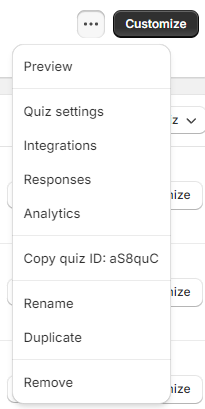
Duplicate it from the dashboard, once for each extra language.
-
Translate the questions and choices in each copy by hand. The quiz has no automatic translation.
-
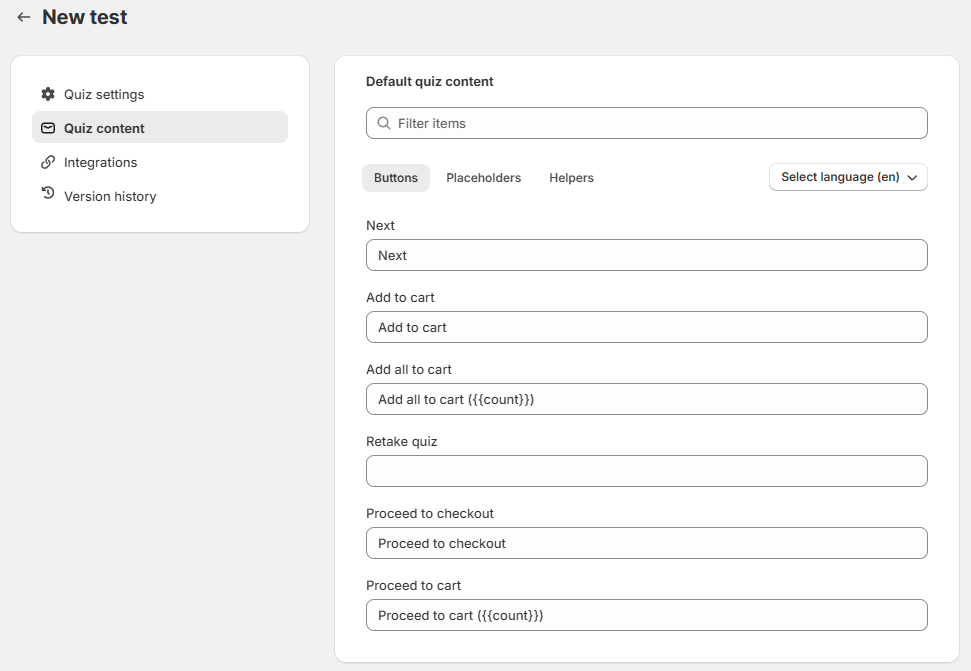
Translate the buttons and app messages in Quiz settings > Quiz Content.
-
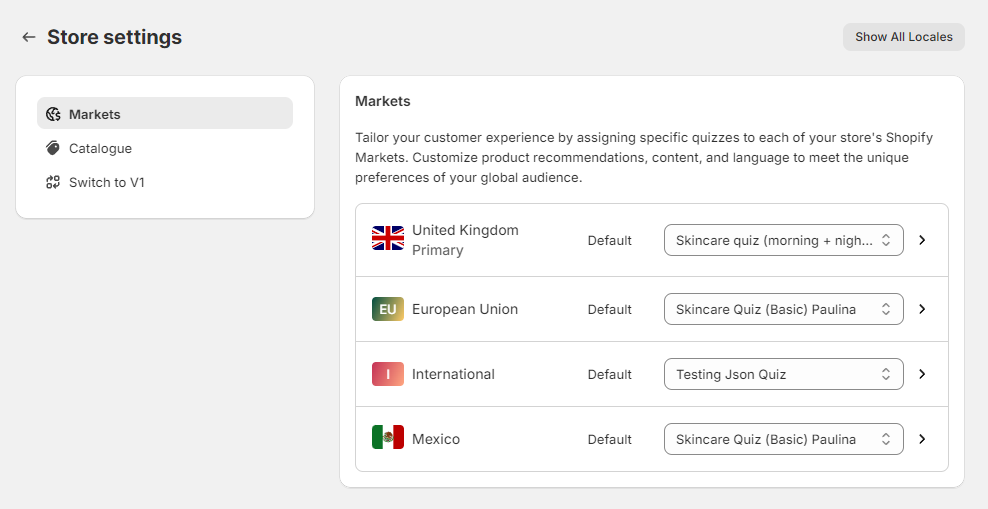
Go to App settings > Shopify Markets. It lists every market and language from your Shopify store.
-
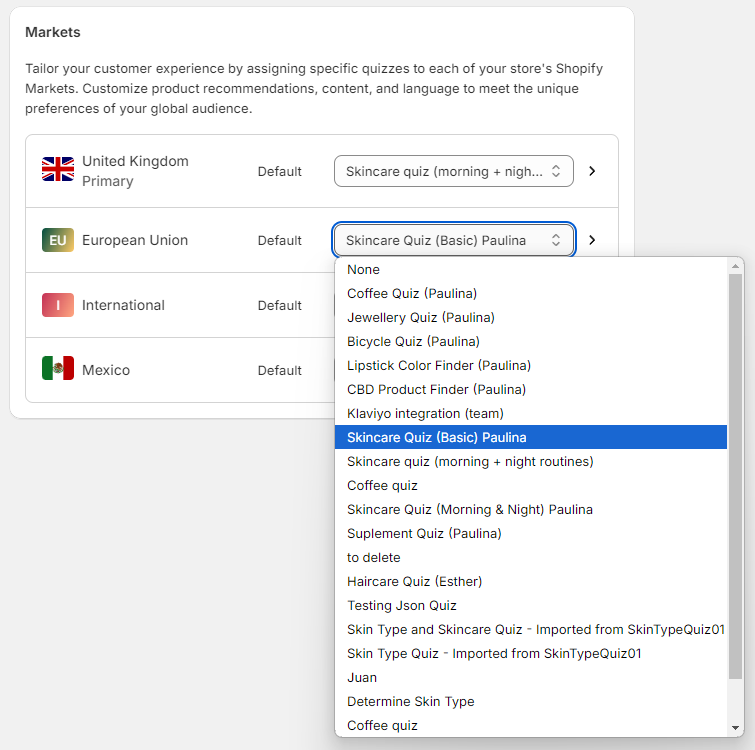
Pick the default quiz for each market.
-
Click the
>arrow on a market to set a different quiz per language. The market expands to show its languages.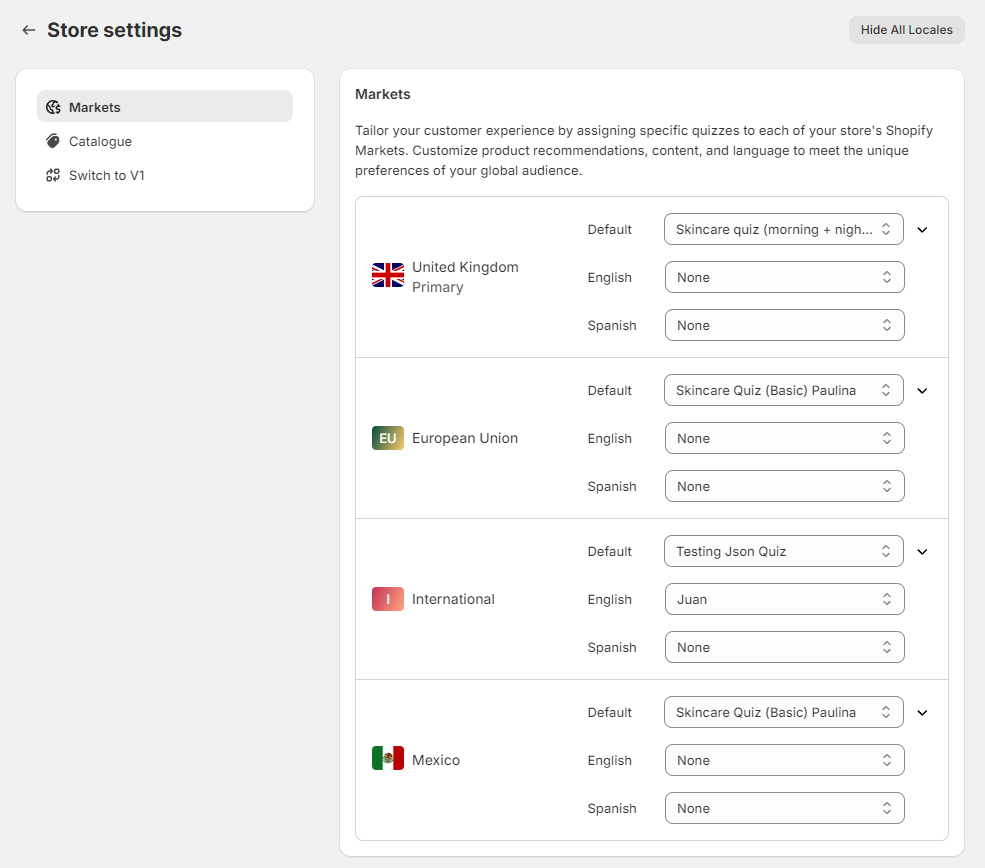
-
Set the price format, if the market default is not the one you want. Type the format you need, such as
${{amount}}or{{amount}}€, in place of{{amount}}USDor{{amount}}EUR. -
Save the changes.
-
Publish the quiz. See the Publish tab in the app, or how to publish a quiz on your website.
-
In Shopify, go to
Online storeand click the👁️eye icon. Your store opens in a new window. -
Open the page the quiz is published on.
-
Switch market and language, and check that the right quiz loads each time.
What to try
- Switch to the United States, and the US quiz appears
- Switch to Belgium, and the EU quiz appears
- Change the language to French, and the French quiz appears
- Change the language to Spanish, and the Spanish quiz appears
-
Check that prices appear in the format you set.
Product translations come across on their own
With Shopify Markets configured, the results page shows translated product titles and descriptions, and localized prices, for the customer's own market and language. This runs through Shopify's Storefront API.
Translations you made with the Translate & Adapt app appear automatically. Nothing extra is needed in the RevenueHunt app.
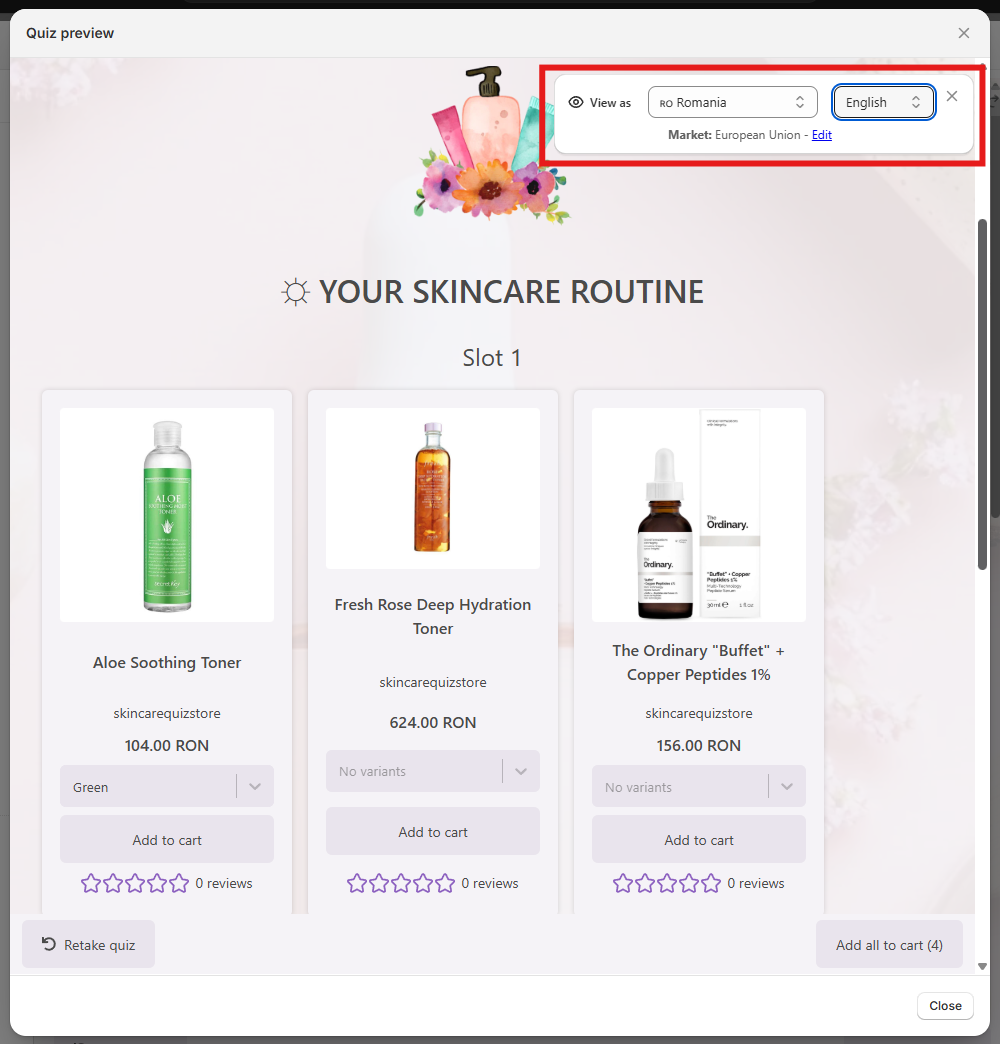
Preview the results page as a market
- Open the Quiz builder.
- Click
Previewin the top-right corner and go through to the results page. - Pick the market and language to preview it as.
Not available on this platform
This version cannot assign a quiz to a market or a language.
To run a quiz in another language, build a separate quiz for it and publish that quiz on the pages for that language.
Not available on this platform
This version cannot assign a quiz to a market or a language.
To run a quiz in another language, build a separate quiz for it and publish that quiz on the pages for that language.
Not available on this platform
This version cannot assign a quiz to a market or a language.
To run a quiz in another language, build a separate quiz for it and publish that quiz on the pages for that language.
Not available on this platform
This version cannot assign a quiz to a market or a language.
To run a quiz in another language, build a separate quiz for it and publish that quiz on the pages for that language.
Not available on this platform
This version cannot assign a quiz to a market or a language.
To run a quiz in another language, build a separate quiz for it and publish that quiz on the pages for that language.
This article explains how to show a RevenueHunt quiz based on Shopify Markets.