How to Get More People to Take Your Quiz
Two engines grow quiz engagement: make it impossible to miss on your store, and deliberately drive traffic to it. The quiz converts that traffic at roughly 2.75x a normal landing page, so sending ads to the quiz is the biggest lever you have.
Quiz engagement runs on two engines. The first is on-site visibility: making the quiz impossible to miss for the traffic you already have. The second, and the one most merchants overlook, is driving traffic to the quiz on purpose - pointing paid ads, email, and social straight at a dedicated quiz page instead of at a product page or homepage.
That second engine is the bigger lever, because the quiz converts traffic far better than a catalog does. Across RevenueHunt data, shoppers who finish a quiz convert at roughly 2.75x the rate of shoppers who don't take one. So a click sent to your quiz is worth far more than the same click sent to a collection page. If you already pay for traffic, redirecting it to the quiz is the single highest-impact move in this article.
The most important move: send your paid traffic to the quiz, not the catalog
Most stores run ads to a product page or homepage and leave the shopper to fend for themselves. Send that same ad click to a dedicated quiz page instead and you turn a cold visitor into a guided consultation that captures their email and preferences, then recommends the right product - which is why quiz finishers convert at about 2.75x non-takers. The full method for sending ad traffic to the quiz, then reusing the answers to make those ads cheaper, is in Use quiz data to lower your ad costs.
This article is structured in three layers: make the quiz easy to find on-site, hook shoppers once they start, and drive outside traffic to it. Work through them in order.
Make the quiz impossible to miss on your store
This is the highest-ROI section. The average merchant publishes their quiz in one place and wonders why nobody takes it. The most successful quizzes are published in at least two or three locations simultaneously - so customers can find it wherever they are in their shopping journey.
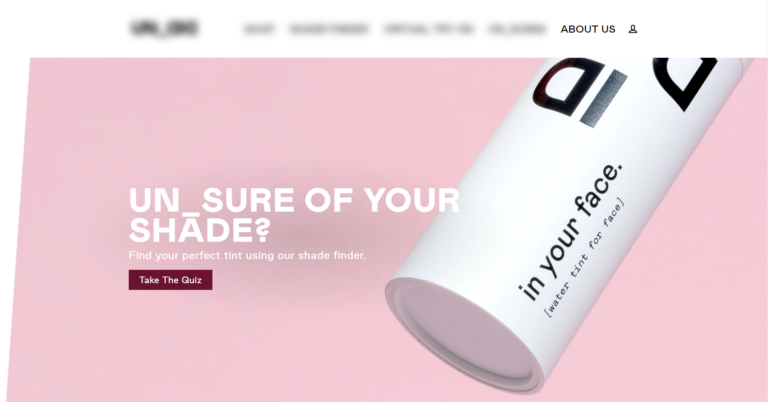
Set up an automatic popup for new visitors. An automatic popup is the most effective single placement for quiz starts. It meets first-time visitors the moment they arrive - before they've had a chance to browse past the quiz. Set it to trigger after 3-5 seconds or on scroll, and give visitors an easy way to dismiss it so it doesn't feel intrusive.
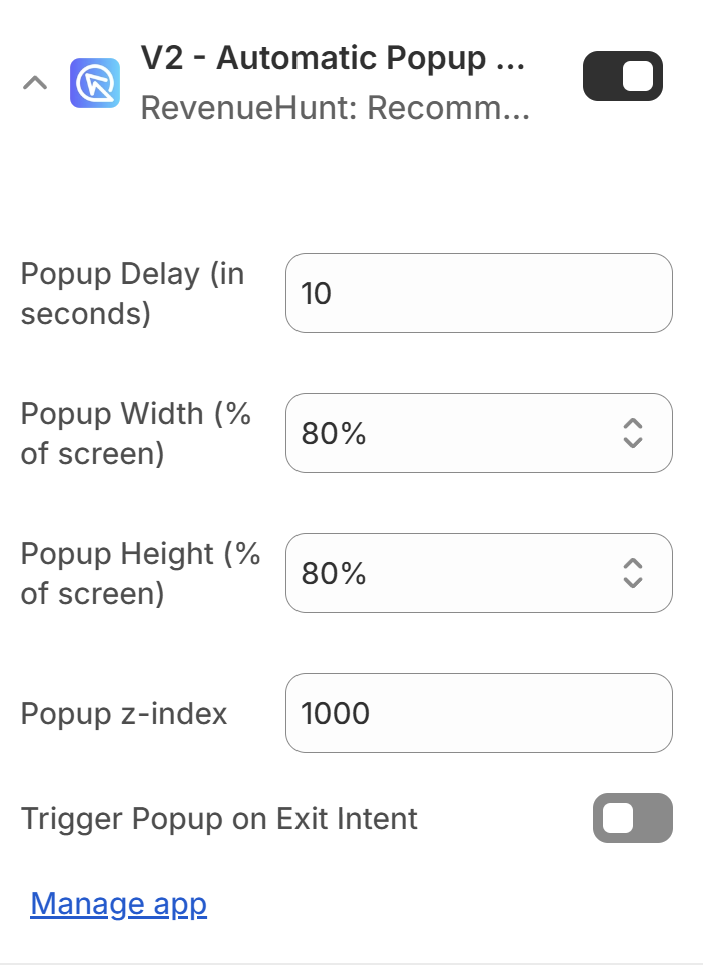
How to set up an automatic popup
Add a floating chat button. A floating button follows customers as they browse your store - always visible, never in the way. Customers who aren't ready to take the quiz when they first see it can come back to it when they are. This is especially useful for stores with long collection pages or product descriptions.
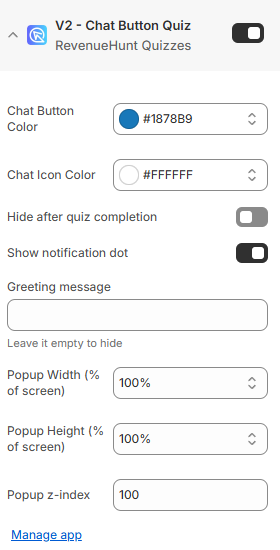
How to add a floating button
Embed the quiz inline on your homepage. An inline quiz block on your homepage puts the quiz in front of every visitor who lands on your site. This works especially well as a hero section replacement or as a prominent section below the fold. It signals to customers that personalization is a core part of your brand experience.
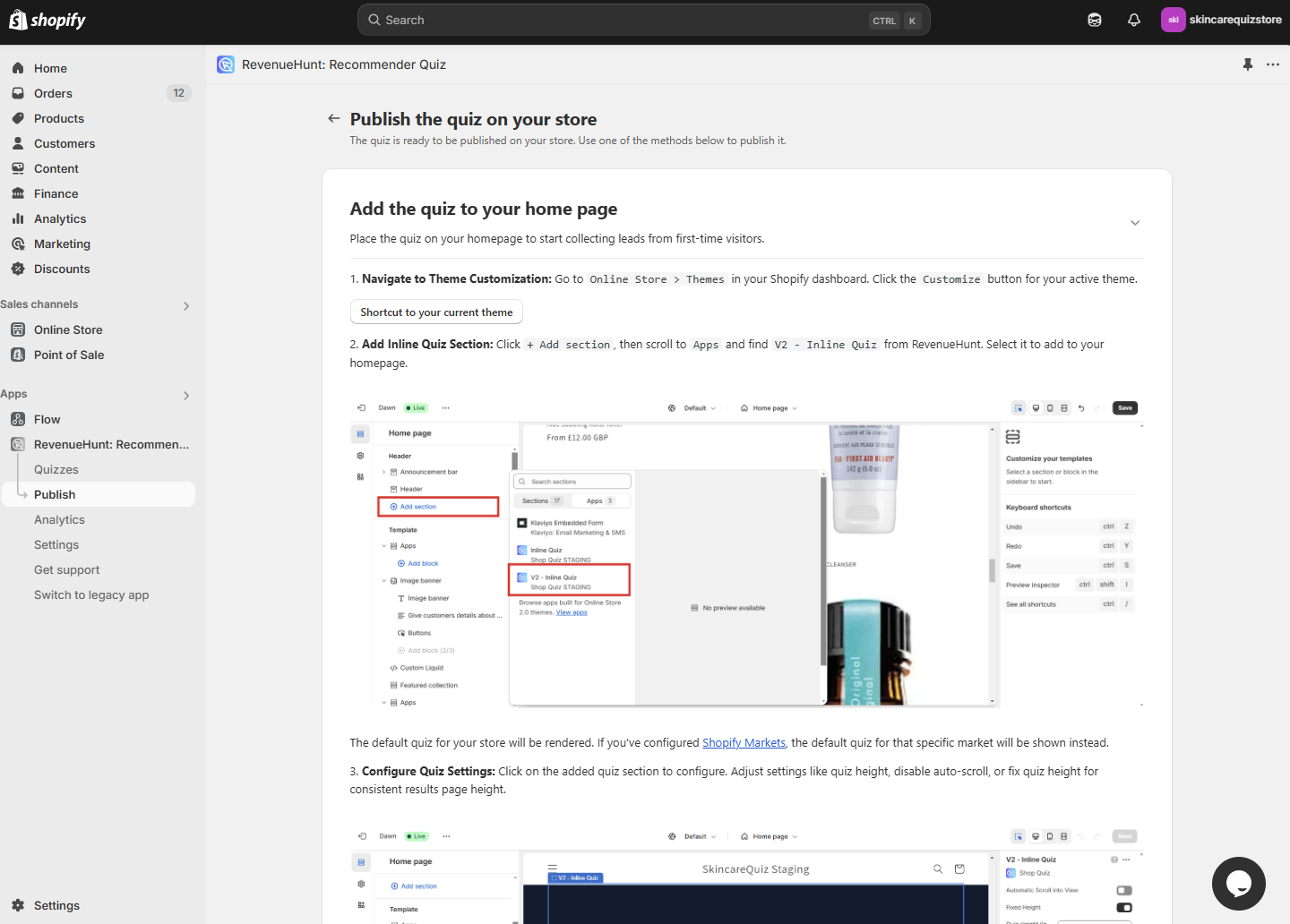
How to embed the quiz inline
Add the quiz to your navigation menu. One of the most visited elements on any store is the top navigation. A quiz link in the nav bar - labelled something like "Find Your Match" or "Skin Quiz" rather than just "Quiz" - gets seen by every single visitor. It also signals that you take personalization seriously.
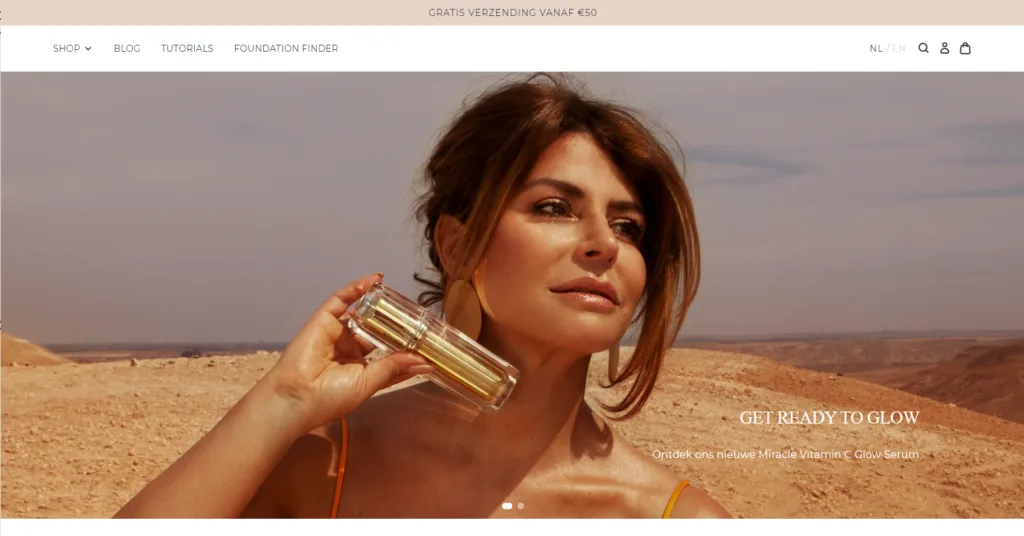
How to add a quiz link to your menu
Add a banner or button CTA. A well-placed banner or button - on your homepage, collection pages, or product pages - invites customers who weren't looking for the quiz to take it anyway. Frame it around the outcome: "Not sure which formula is right for you? Take the 2-minute quiz."
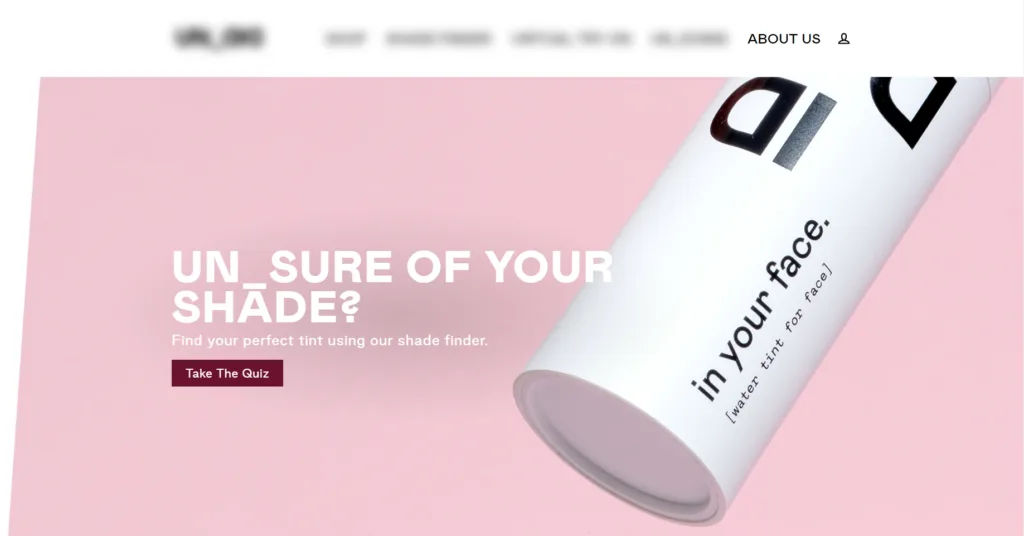
How to add a banner button
Hook customers once they start
Getting people to the quiz is step one. Keeping them through to the results page is step two. These tactics improve completion rates once someone has already clicked.
Give the quiz a name that promises a result. The word "quiz" alone carries baggage - it sounds like school, or a BuzzFeed distraction. Name your quiz around the outcome, not the format.
| Instead of... | Try... |
|---|---|
| Take the Quiz | Find Your Perfect Routine |
| Product Quiz | Skin Diagnostic |
| Hair Quiz | Curl Type Finder |
| Quiz | Supplement Match |
The name appears in your CTA buttons, navigation links, and popups - so it's often the first thing a customer reads. Make it count.
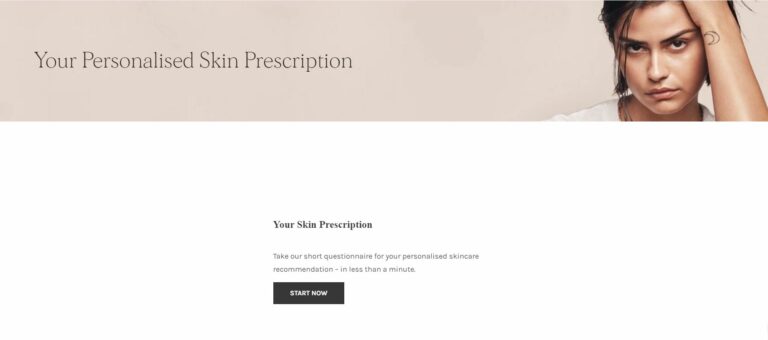
Write a welcome screen that hooks them in the first 5 seconds. The welcome screen is your pitch. A weak welcome screen - or no welcome screen at all - loses customers before they've answered a single question.
A strong welcome screen does three things:
- States what the customer will get ("Your personalized skincare routine in 2 minutes")
- Sets expectations on length ("Just 8 questions")
- Mentions any reward ("Complete the quiz and get 10% off")
How to add a welcome screen
In the Quiz Builder, click + Add question and choose Welcome Message under Messages. See how to add a welcome screen for the full walkthrough.
Offer a discount for completing. Nothing motivates someone to finish what they started like a reward at the end. Offer a discount code to everyone who completes the quiz and mention it upfront on the welcome screen.
Mention the discount before they start
"Answer 8 questions and get 10% off your personalized recommendation" converts better than "Here's 10% off!" on the results page. The promise of a reward reduces abandonment throughout the quiz, not just at the end.
How to add a discount code
Keep the quiz short. Every question you add is a chance for a customer to abandon. Our platform data shows the optimal length is 6-12 questions, with 7-8 being the most common for top-converting quizzes. Start shorter than you think you need to. If the data shows customers are finishing easily and conversions are high, you can experiment with adding a question or two.
Completion rates drop significantly past 12 questions
If you have a long quiz that isn't converting, try cutting it to 8 questions first. You'll likely see completion rates improve immediately.
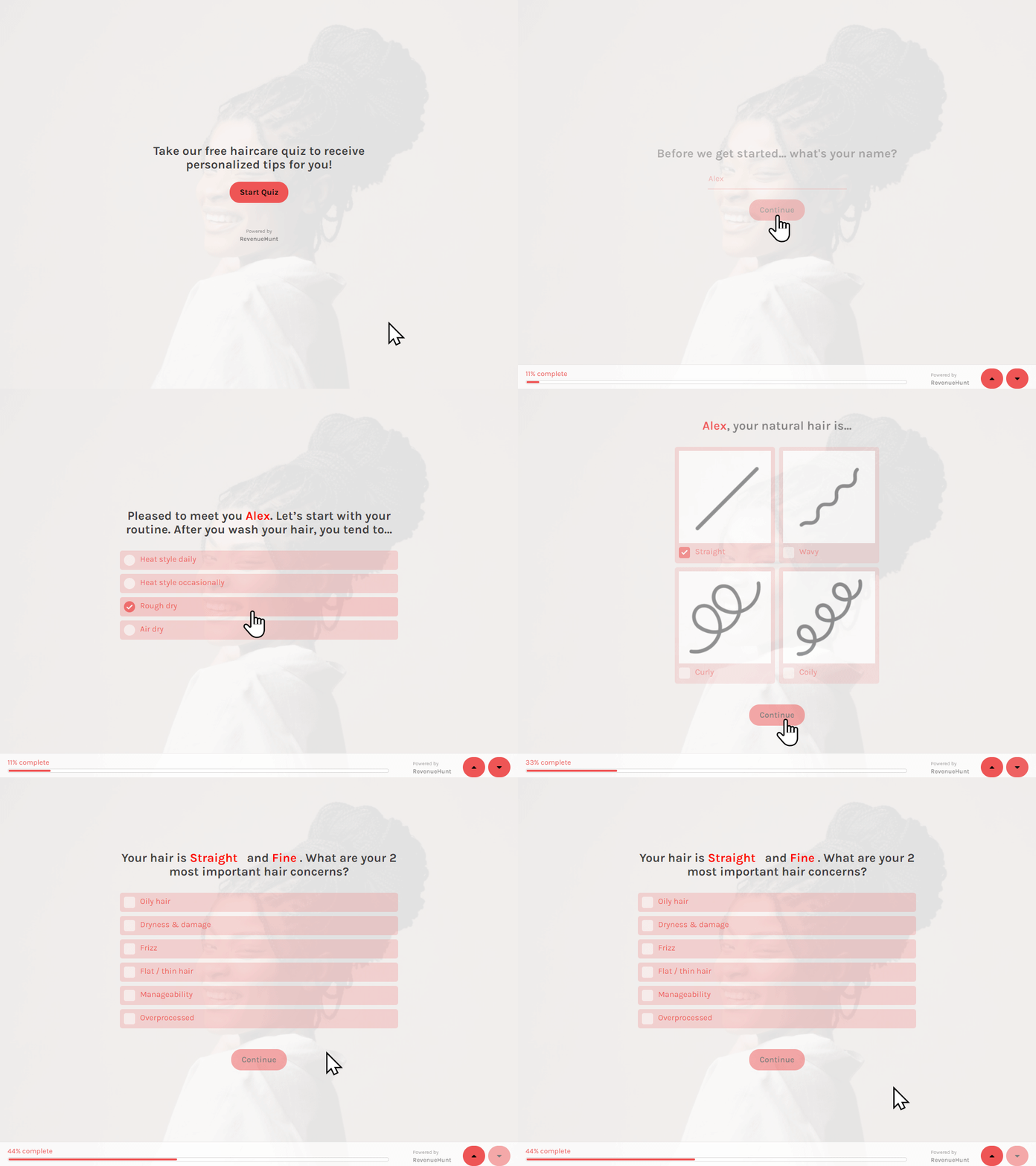
Use personalization to make it feel real. Customers are more likely to finish a quiz that feels like a genuine consultation. Using Information Recalls - recalling the customer's name on the results page, referencing their earlier answers - makes the experience feel tailored rather than automated.
Drive outside traffic to the quiz
This is where most of the growth is. On-site placement captures the visitors you already have; this section is about deliberately sending new, qualified traffic to the quiz - and the quiz earns it, because it converts that traffic at roughly 2.75x a standard landing page.
Give the quiz its own page first. Before you point any ads, email, or social at the quiz, publish it on a dedicated URL - a clean landing page whose only job is to start the quiz. That page is the destination for every campaign below: it loads fast and has no competing navigation to leak clicks. The Built for Shopify app lets you publish the quiz as a standalone page or external link.
Run paid ads to the quiz page (the highest-leverage tactic here). Point your Meta and Google ads at the dedicated quiz page rather than a product page or homepage. Customers who see "Take our 2-minute skin quiz and get personalized recommendations" in an ad are self-selecting as engaged and intent-driven, and the quiz converts them at about 2.75x the rate of cold traffic landing on a category page. The quiz also captures their email and product preferences before showing anything to buy, so even the shoppers who don't buy today become a warm, segmented list you can retarget. Track the full journey with Meta Pixel or Google Analytics, and use the quiz answers to build cheaper, sharper audiences - the complete playbook is in Use quiz data to lower your ad costs.

How to track quiz revenue from ads
Email your subscriber list. Your existing subscribers are your warmest audience. Send a dedicated email introducing the quiz and what customers will get from it. Include the quiz as a link in your newsletter template so it gets ongoing exposure with every send.
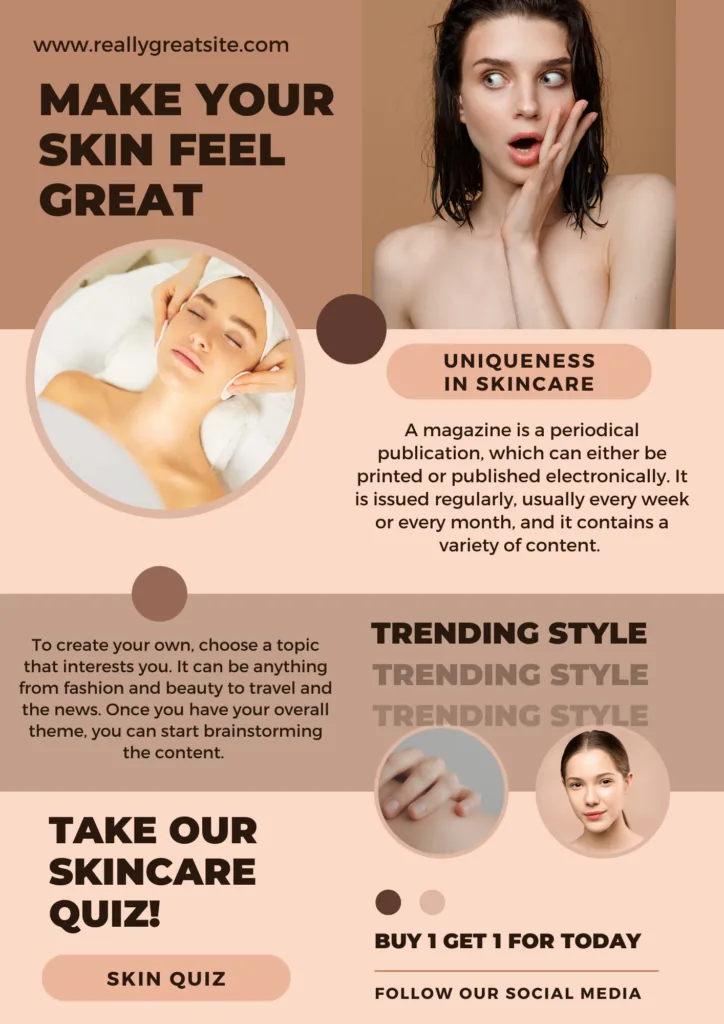
How to share a quiz link in email
Share on social media. Post about the quiz on your social channels with a direct link. Short-form video content (Reels, TikToks) that walks through the quiz or shows the results in action tends to perform well. Stories and swipe-up links work for driving direct traffic on Instagram.
Use a direct link to the quiz so followers can access it without navigating through your store:
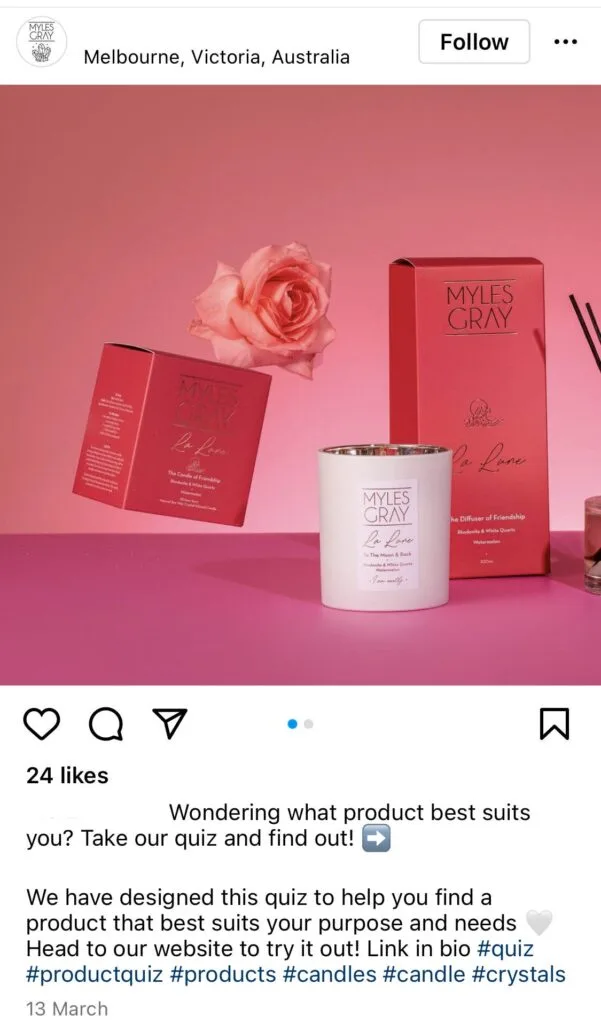
How to get a direct quiz link for social
Partner with influencers. Influencers who are relevant to your product category can drive significant quiz traffic with an authentic recommendation. Provide them with a direct quiz link (optionally with UTM parameters so you can track the traffic source) and let them frame the quiz in their own voice.
This works especially well for quizzes that deliver a genuinely interesting result - a skin type diagnosis, a hair profile, a supplement match - rather than just a product recommendation.
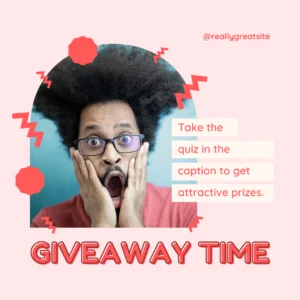
Run a contest or giveaway. Tie a giveaway to quiz completion: enter to win by completing the quiz. This drives a spike in completions and gives you a large batch of segmented, tagged leads in your CRM at once. The email addresses you collect go into your normal post-quiz flow as usual.
Embed it in a blog post. If you publish content on your blog, embed the quiz inline within a relevant article. A skincare quiz embedded in a "How to build a skincare routine" post catches readers at a moment of high intent - they're already researching, already interested.
How to embed the quiz in a blog post
Add it to your email signature. Every email you send is an opportunity. Add a line to your business email signature with a link to the quiz: "Not sure which products are right for you? Take the 2-minute quiz."
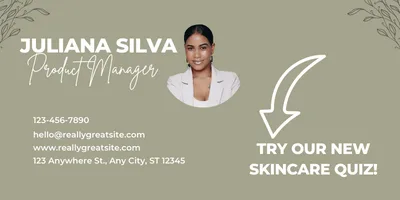
How to get a shareable quiz link
Share in relevant communities. If you're active in online communities - Reddit, Facebook groups, niche forums - sharing the quiz (where it's genuinely useful and not spammy) can drive targeted traffic. This works best for quizzes that deliver real value: a detailed skin type analysis, a supplement routine, a hair profile. People share things that feel useful, not things that feel like ads.
Where to start
If you're not sure where to begin, fix on-site visibility first. Adding a popup, a floating button, and an inline homepage block takes less than an hour and will typically double or triple quiz starts without any off-site promotion. Once your on-site engagement is strong, layer on the off-site channels.
Do / Don't
- Do fix on-site visibility first. Publish the quiz in two or three places (automatic popup, floating button, homepage block) before spending on promotion.
- Do use an automatic popup for new visitors. It is the single most effective placement for quiz starts.
- Do send your paid ad traffic to a dedicated quiz page instead of a product page or homepage. Quiz finishers convert at roughly 2.75x non-takers, so it is the highest-leverage move here.
- Don't publish the quiz in one buried place and blame the quiz when nobody takes it. Visibility is usually the real problem.
- Don't scale ad spend before the quiz hook (name, welcome screen, length) is working, or you will pay to send traffic to a quiz that leaks it.
Frequently asked questions
Why is nobody taking my quiz?
Almost always visibility, not the quiz itself. Publish it in two or three places before changing anything else.
What is the most effective quiz placement?
An automatic popup for new visitors, backed by a floating button and a homepage block, so shoppers find it wherever they are.
What is the best way to drive traffic to my quiz?
Send paid ads to a dedicated quiz page rather than to a product page or homepage. Quiz finishers convert at roughly 2.75x non-takers, so the same ad click is worth far more pointed at the quiz - and the quiz captures email and preferences you can retarget with. See Use quiz data to lower your ad costs.
Related articles:
- Why your product quiz is not converting well
- How to reduce drop-off
- How to build a successful product recommendation quiz
- Quiz Setup Checklist
This article explains how to make your quiz impossible to miss on your store, and how to drive traffic to it on purpose.