How to Publish a Quiz on a PageFly Page
PageFly builds Shopify landing pages and product pages. A quiz can sit inside one of those pages, or the page can carry a button that opens it.
Embed the quiz inline on a PageFly page
Not part of this version
The PageFly RevenueHunt element works with the legacy app only. The new 💎 Built for Shopify version cannot be embedded into a PageFly page directly.
Point a button at the quiz instead. See Link to the quiz from a PageFly button.
PageFly carries a RevenueHunt element. Activate it once, then drop it onto any page you build.
-
Open the PageFly editor, on a new page or one you already have.
-
Go to
Third-party elementsand click+Add app.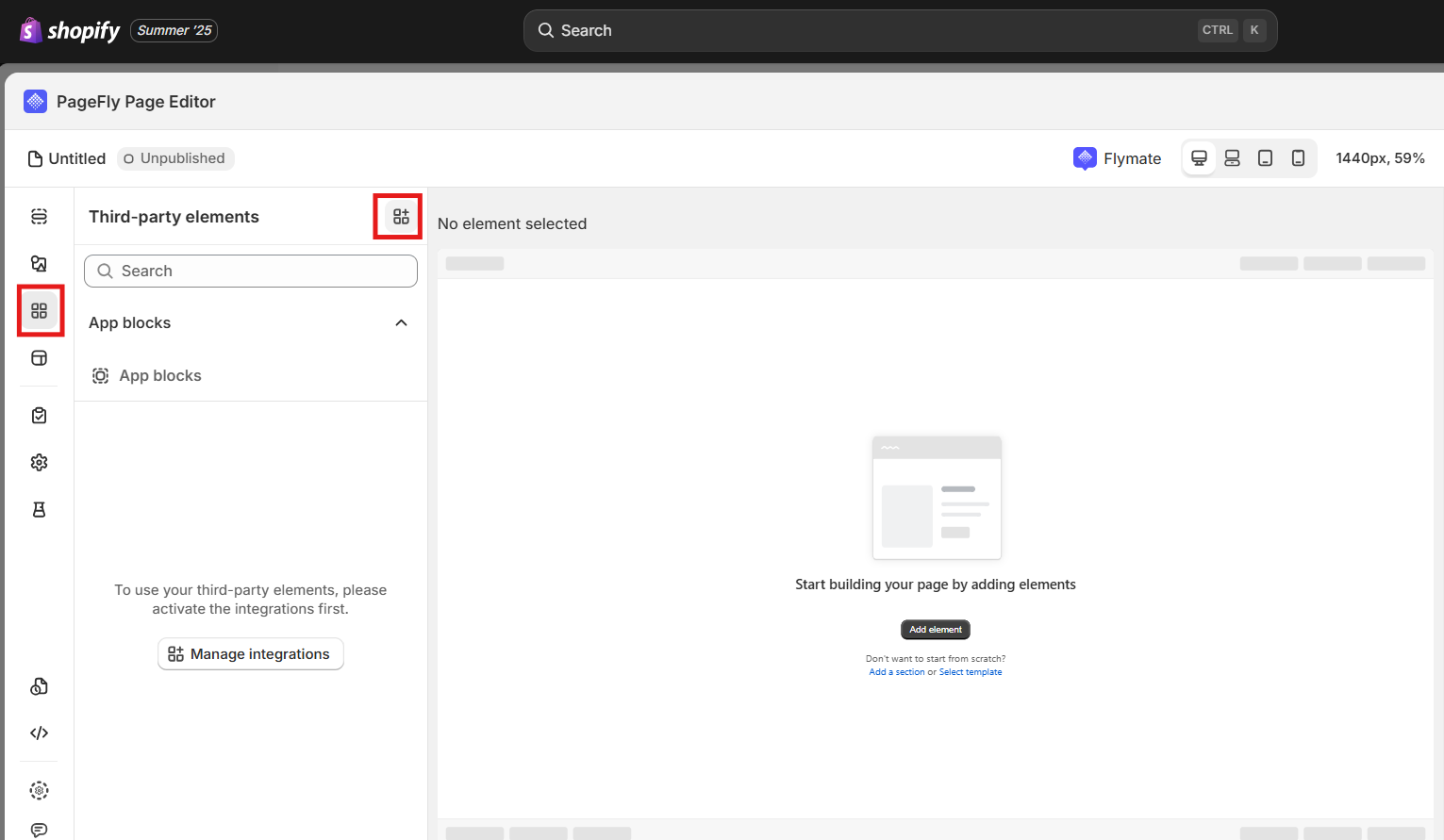
-
Search for
RevenueHuntand clickActivate.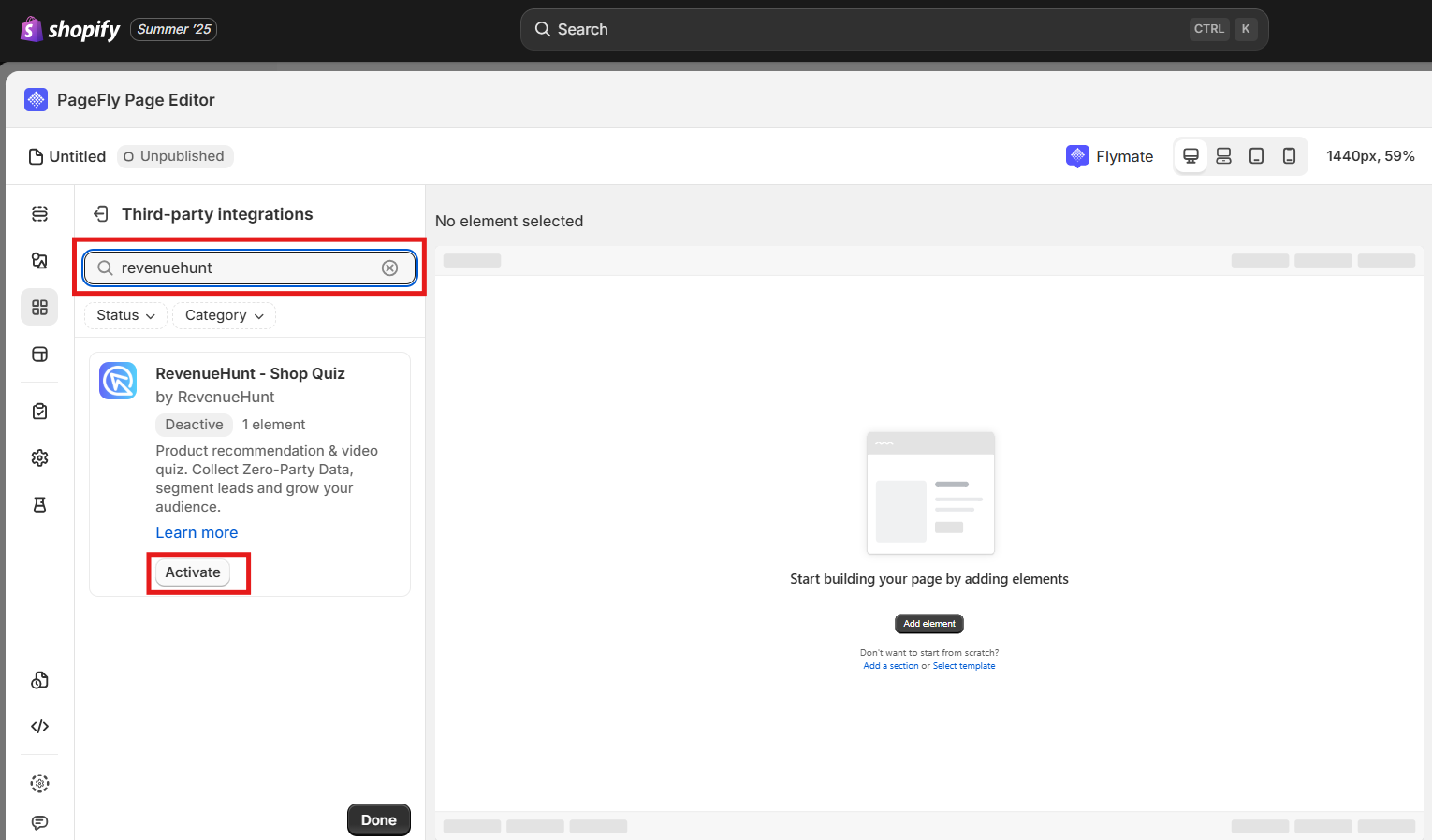
-
Go back to
Third-party elements, clickRevenueHunt, and drag the quiz element onto the page.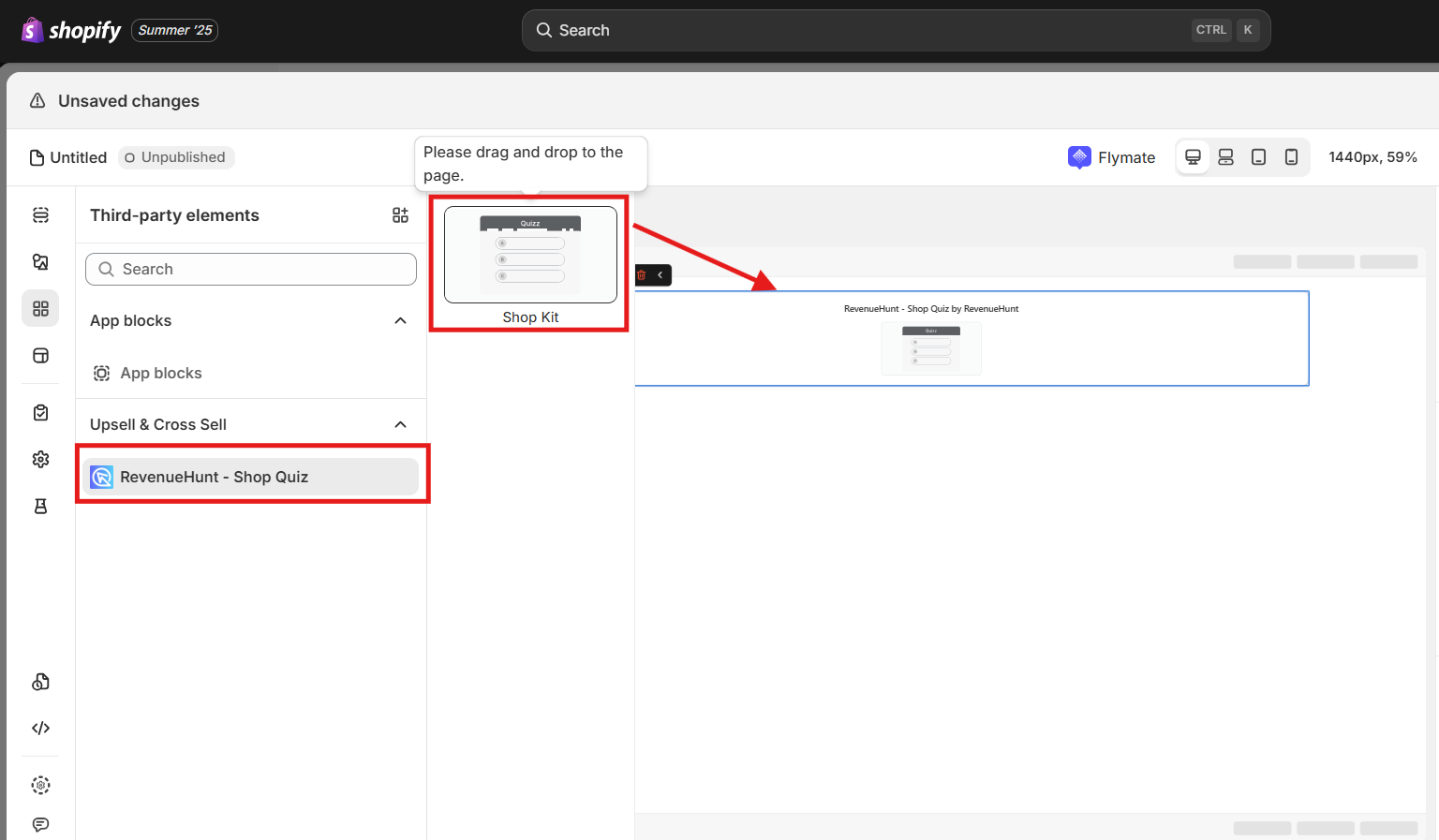
-
Click the element, then enter your quiz shortcode in the settings panel on the right.
What the shortcode is
The shortcode is the quiz URL, in this shape.
https://admin.revenuehunt.com/public/quiz/QUIZ_IDReplace
QUIZ_IDwith the ID of your quiz, which you will find asQuiz IDin Quiz settings.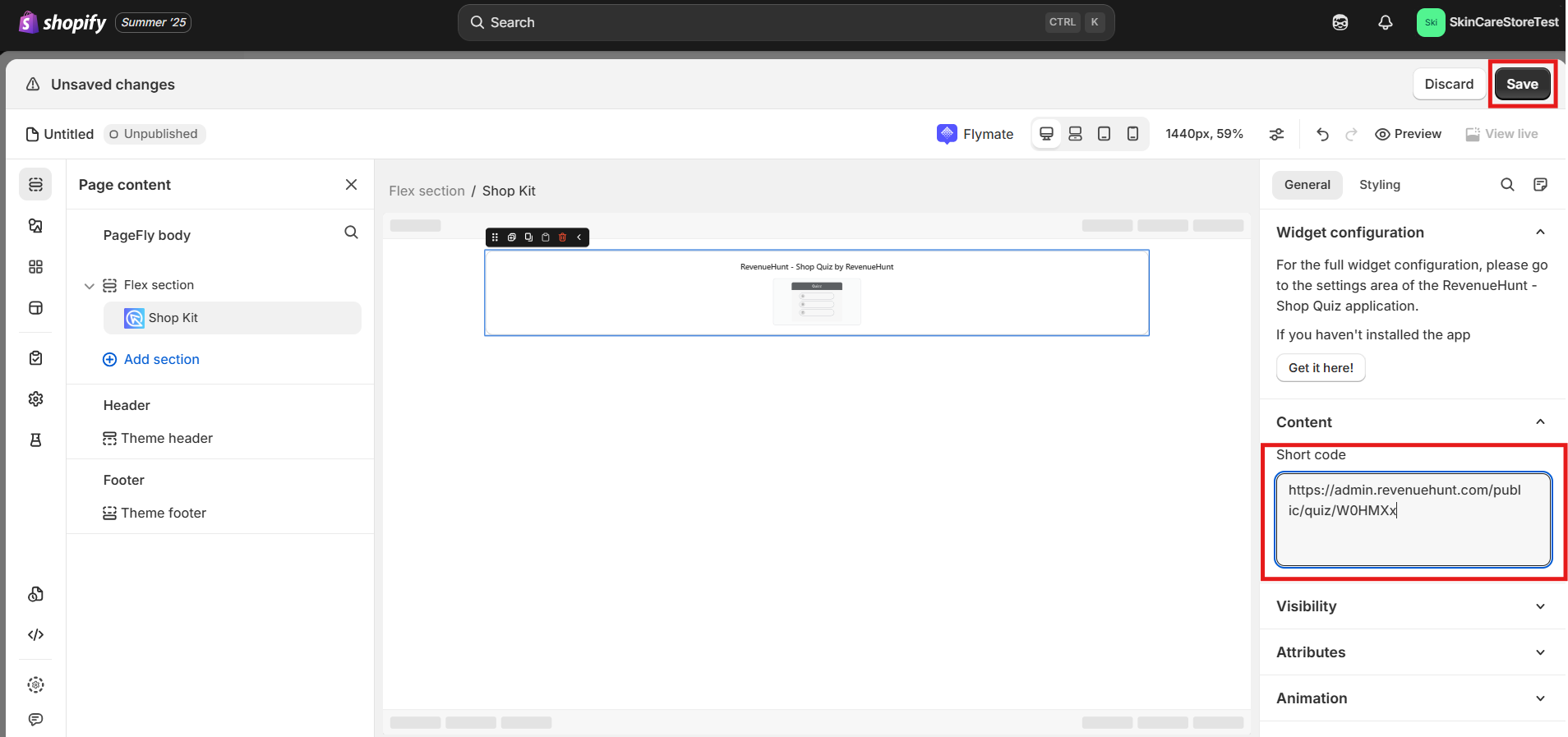
-
Click
Save. -
Click
Preview, then use the page as a customer would and check the quiz opens.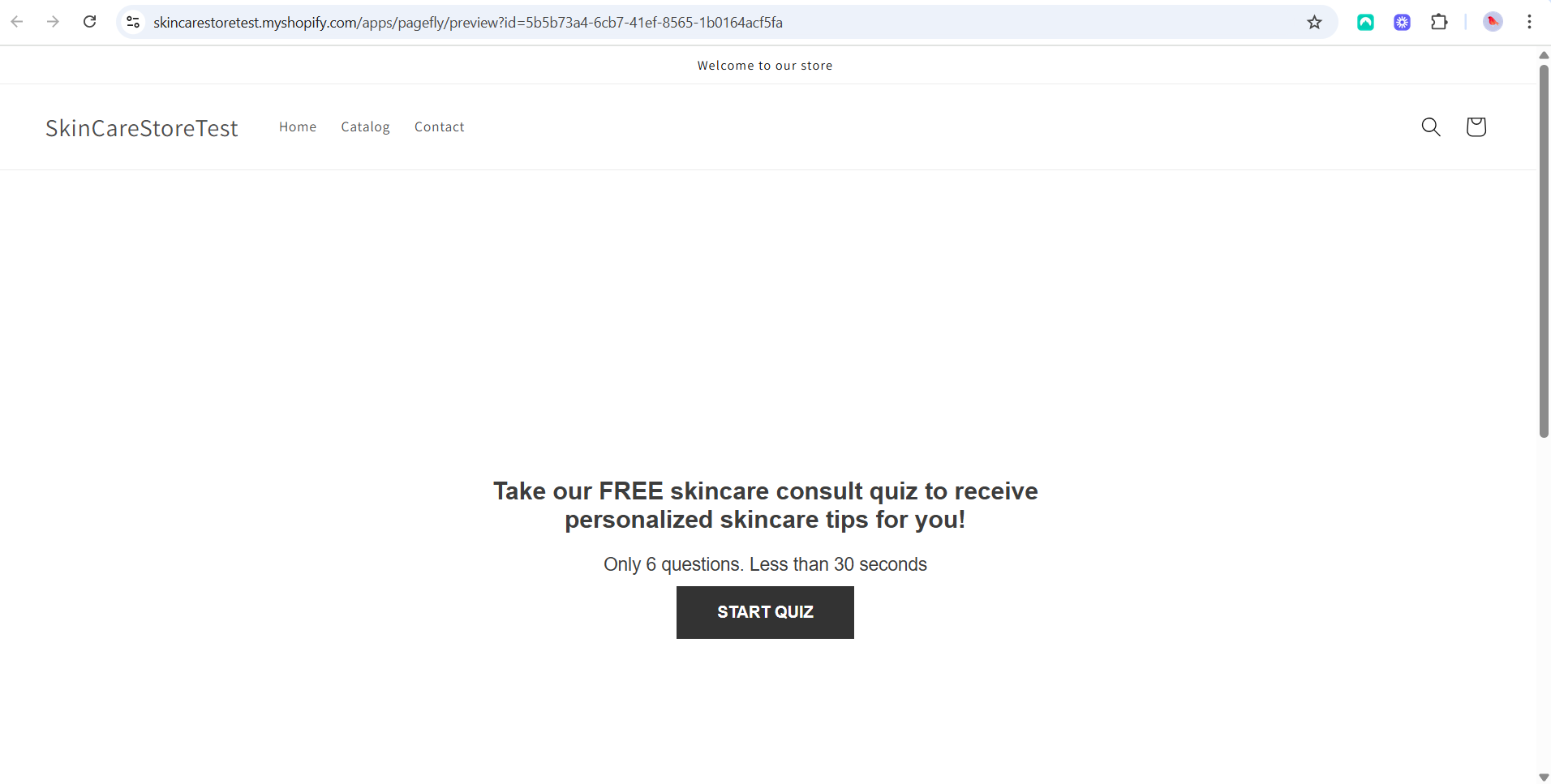
PageFly is a Shopify page builder
It has no WooCommerce version, so there is no PageFly page to put a quiz on here.
See how to publish a quiz on your website for the ways that do work on WooCommerce.
PageFly is a Shopify page builder
It has no Magento version, so there is no PageFly page to put a quiz on here.
See how to publish a quiz on your website for the ways that do work on Magento.
PageFly is a Shopify page builder
It has no BigCommerce version, so there is no PageFly page to put a quiz on here.
See how to publish a quiz on your website for the ways that do work on BigCommerce.
PageFly is a Shopify page builder
It has no Standalone version, so there is no PageFly page to put a quiz on here.
See how to publish a quiz on your website for the ways that do work on Standalone.
Link to the quiz from a PageFly button
The quiz sits on a Shopify page of its own, and the PageFly page carries a button that opens it.
-
Publish the quiz on a page of its own in Shopify. See how to embed an inline quiz on your store.
-
Open the PageFly editor, on a new page or one you already have.
-
Go to
Elementsand drag aButtonelement onto the page. -
In the button settings, set
ActiontoGo to URLand paste the address of the quiz page.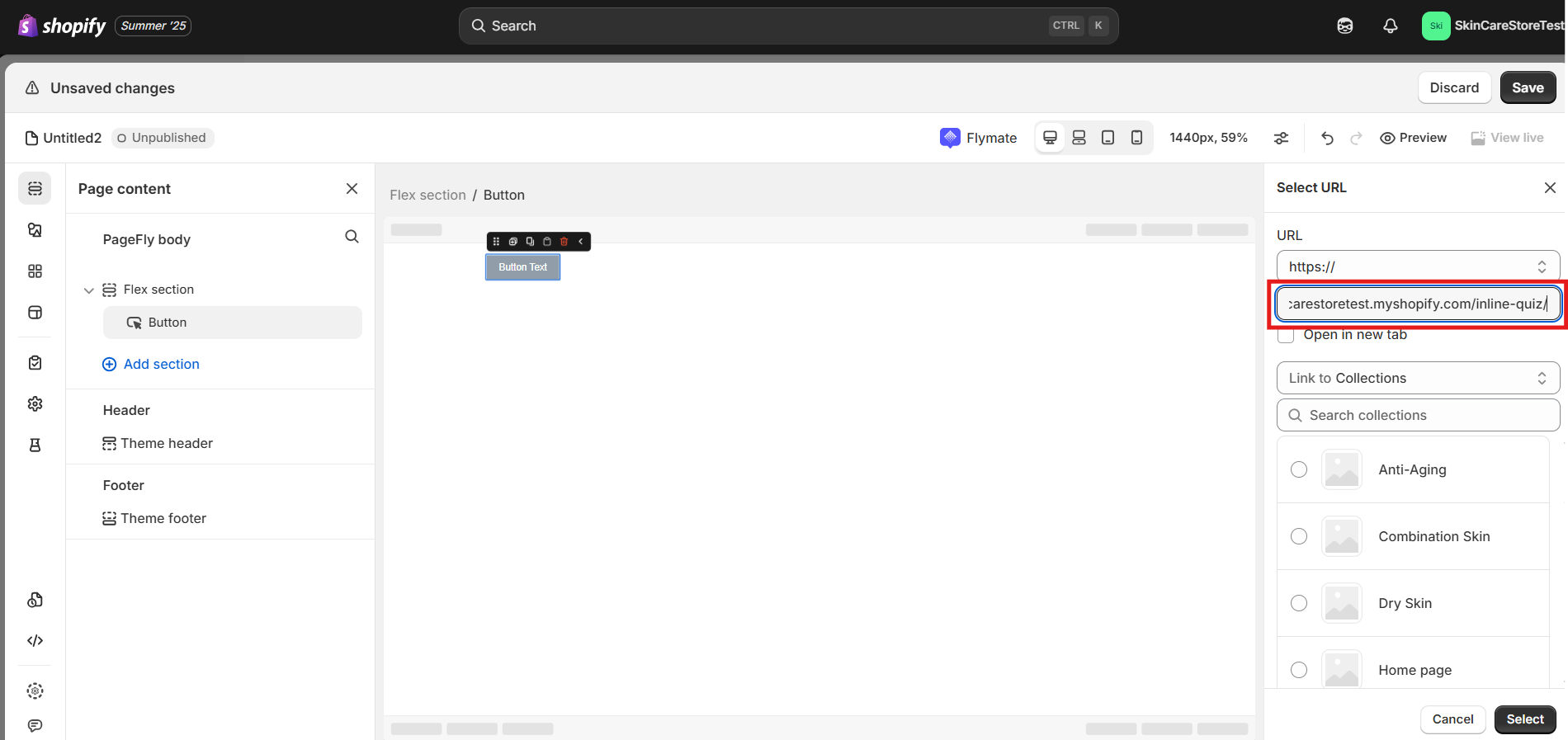
-
Click
Save. -
Click
Preview, then use the page as a customer would and check the quiz opens.
A button works here too, and it is the simpler route if you would rather not embed the quiz in the page.
-
Open the PageFly editor, on a new page or one you already have.
-
Go to
Elementsand drag aButtonelement onto the page. -
In the button settings, set
ActiontoGo to URL, then paste one of these. -
Click
Save. -
Click
Preview, then use the page as a customer would and check the quiz opens.
PageFly is a Shopify page builder
It has no WooCommerce version, so there is no PageFly page to put a quiz on here.
See how to publish a quiz on your website for the ways that do work on WooCommerce.
PageFly is a Shopify page builder
It has no Magento version, so there is no PageFly page to put a quiz on here.
See how to publish a quiz on your website for the ways that do work on Magento.
PageFly is a Shopify page builder
It has no BigCommerce version, so there is no PageFly page to put a quiz on here.
See how to publish a quiz on your website for the ways that do work on BigCommerce.
PageFly is a Shopify page builder
It has no Standalone version, so there is no PageFly page to put a quiz on here.
See how to publish a quiz on your website for the ways that do work on Standalone.
This article explains the two ways to get a RevenueHunt quiz onto a PageFly page, and which of them each version supports.