How to Delete Personal Data from Quiz Responses
A quiz response can hold personal data, such as an email address, a name or a phone number.
RevenueHunt can delete that data for you on a schedule. You choose how long to keep it, and the app removes it from every response that is older than that.
The quiz response itself is not deleted. Only what the customer typed goes.
Support has to turn this on for you
Personal data deletion stays off until you ask for it. The deletion is permanent, and data cannot be restored.
Support turns it on only after the store owner asks. That request is the record that you intended the deletion, and it keeps a permanent setting from going live by accident.
To activate this setting, please contact support.
What is deleted
Everything the customer typed into the quiz:
| Question type | Example of what goes |
|---|---|
ana@example.com |
|
| Name | Ana Ruiz |
| Phone | +34 600 123 456 |
| Short text | Dry patches around my nose |
| Long text | I have used retinol for two years and my skin... |
| Number | 32 |
| Date | 1994-07-12 |
What stays
- The choices the customer picked, in multiple-choice, picture choice, dropdown, slider, yes/no and legal consent questions
- The products recommended on the results page
- Analytics, including completion rate and per-question drop-off
- The date of the response, the order it produced, and any customer tags
A quiz built only from choices loses nothing, because a choice records which option the customer picked, not typed text.
Choose how long to keep the data
-
Open the Quiz builder and go to Quiz settings > General.
-
Find
Personal data deletion.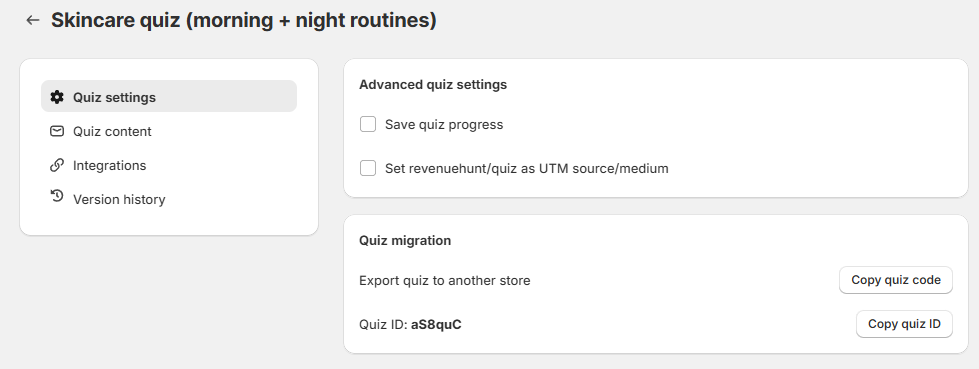
-
Open
Delete personal data afterand choose 14, 30, 60 or 90 days. The field stays greyed out until support turns the setting on for your shop. -
Save the quiz.
To stop the deletion later, set the field back to Never. Data that is already gone does not come back.
The period applies to one quiz
Each quiz keeps its own period. Set it on every quiz that collects personal data.
When the deletion runs
A cleanup runs every eight hours. At the next run it deletes the data from every response older than the period you chose.
This includes responses you collected before you turned the setting on. A quiz with two years of responses and a 30-day period loses the typed data from nearly all of them at the first run.
What you see afterwards
The response stays in your response list, and in place of each deleted value you see [Answer removed by retention policy].
The same placeholder appears in a CSV export. See how to download quiz responses.
Before you choose a period
- The deletion is permanent. No backup restores the data, and support cannot recover it.
- Export first if you still need the answers. Download a CSV before you turn the setting on.
- Data you already sent elsewhere is not affected. A lead in Klaviyo, Mailchimp or your Shopify Customers list stays there. Delete it in that service as well.
- Choose a period longer than you need the answers. If you read responses once a month, 14 days is too short.
This version has one store-wide setting
The legacy app does not have a per-quiz period. It has one store-wide setting instead, and it applies to every quiz.
Go to App Settings > General > Data & GDPR and turn on Anonymize quiz responses after 30 days. See App Settings.
The per-quiz period described on this page is only in the 💎Built for Shopify version of the RevenueHunt app.
This version has one store-wide setting
This version does not have a per-quiz period. It has one store-wide setting instead, and it applies to every quiz.
Go to App Settings > General > Data & GDPR and turn on Anonymize quiz responses after 30 days. See App Settings.
The per-quiz period described on this page is only in the 💎Built for Shopify version of the RevenueHunt app.
This version has one store-wide setting
This version does not have a per-quiz period. It has one store-wide setting instead, and it applies to every quiz.
Go to App Settings > General > Data & GDPR and turn on Anonymize quiz responses after 30 days. See App Settings.
The per-quiz period described on this page is only in the 💎Built for Shopify version of the RevenueHunt app.
This version has one store-wide setting
This version does not have a per-quiz period. It has one store-wide setting instead, and it applies to every quiz.
Go to App Settings > General > Data & GDPR and turn on Anonymize quiz responses after 30 days. See App Settings.
The per-quiz period described on this page is only in the 💎Built for Shopify version of the RevenueHunt app.
This version has one store-wide setting
This version does not have a per-quiz period. It has one store-wide setting instead, and it applies to every quiz.
Go to App Settings > General > Data & GDPR and turn on Anonymize quiz responses after 30 days. See App Settings.
The per-quiz period described on this page is only in the 💎Built for Shopify version of the RevenueHunt app.
This article explains how to have the app delete the personal data in old quiz responses on a schedule, and what it removes.